

Picture this. You discover an exciting new open-source tool. You click the link and land on its GitHub repository. You see a list of cryptic folders like src or public. Then you spot the README.md. This file is supposed to be the project’s ID card. It stands for “read me,” implying it contains everything you need to know. But for non-developers, this document is often completely opaque. It lists complex installation commands. It assumes you already know the tech stack. It rarely explains the actual business rules or the why behind the product. You are left scrolling through text that feels like it was written for a machine, not a human.
Let’s take a concrete example to visualize this. We will look at Excalidraw, a fantastic open-source virtual whiteboard. You probably know it already. It works just like Miro or FigJam.
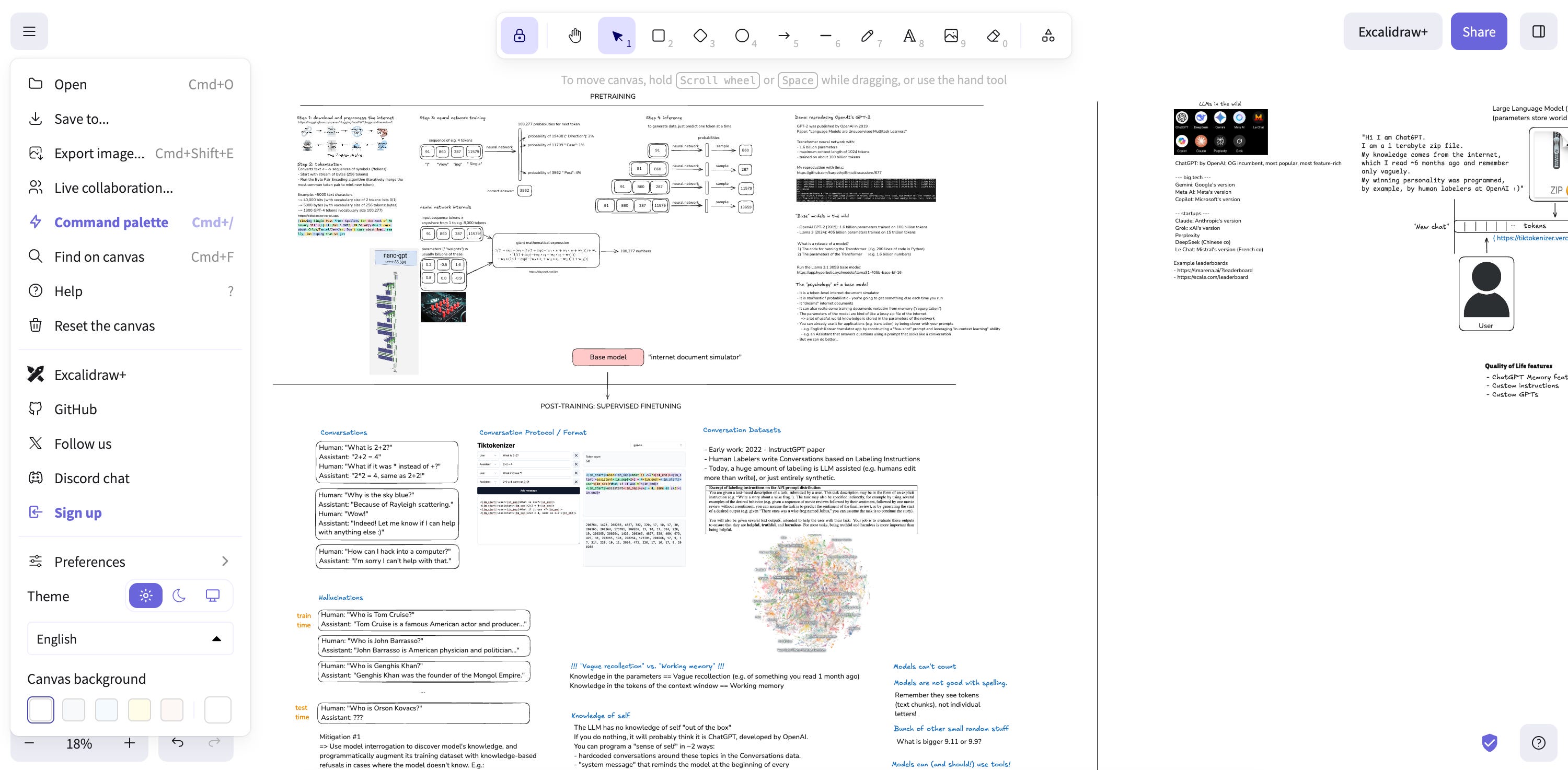
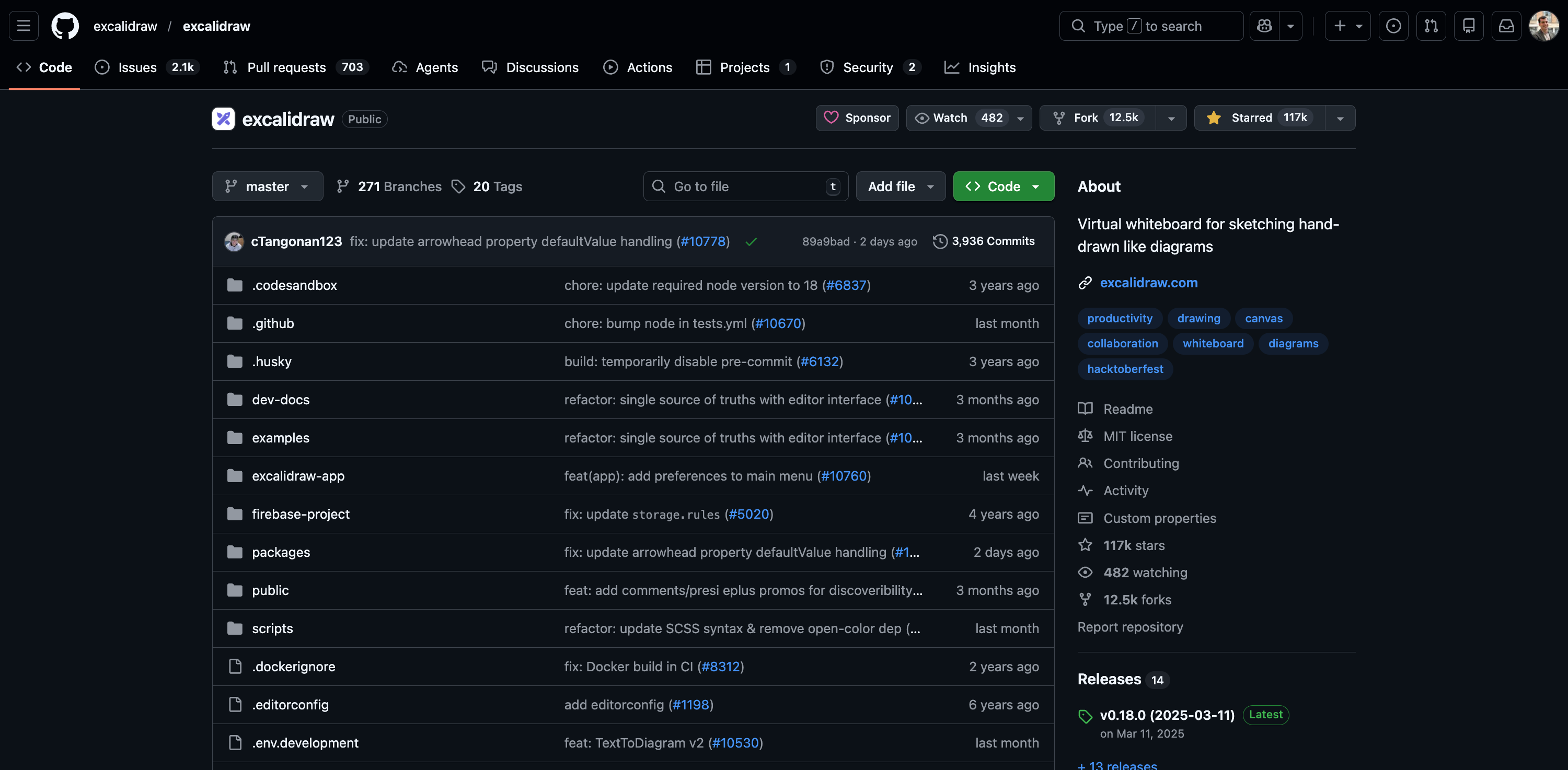
When you open their GitHub repository, the first thing you see is a long list of files. This is the actual code.
Then, if you scroll down a bit, you finally reach that famous README file.
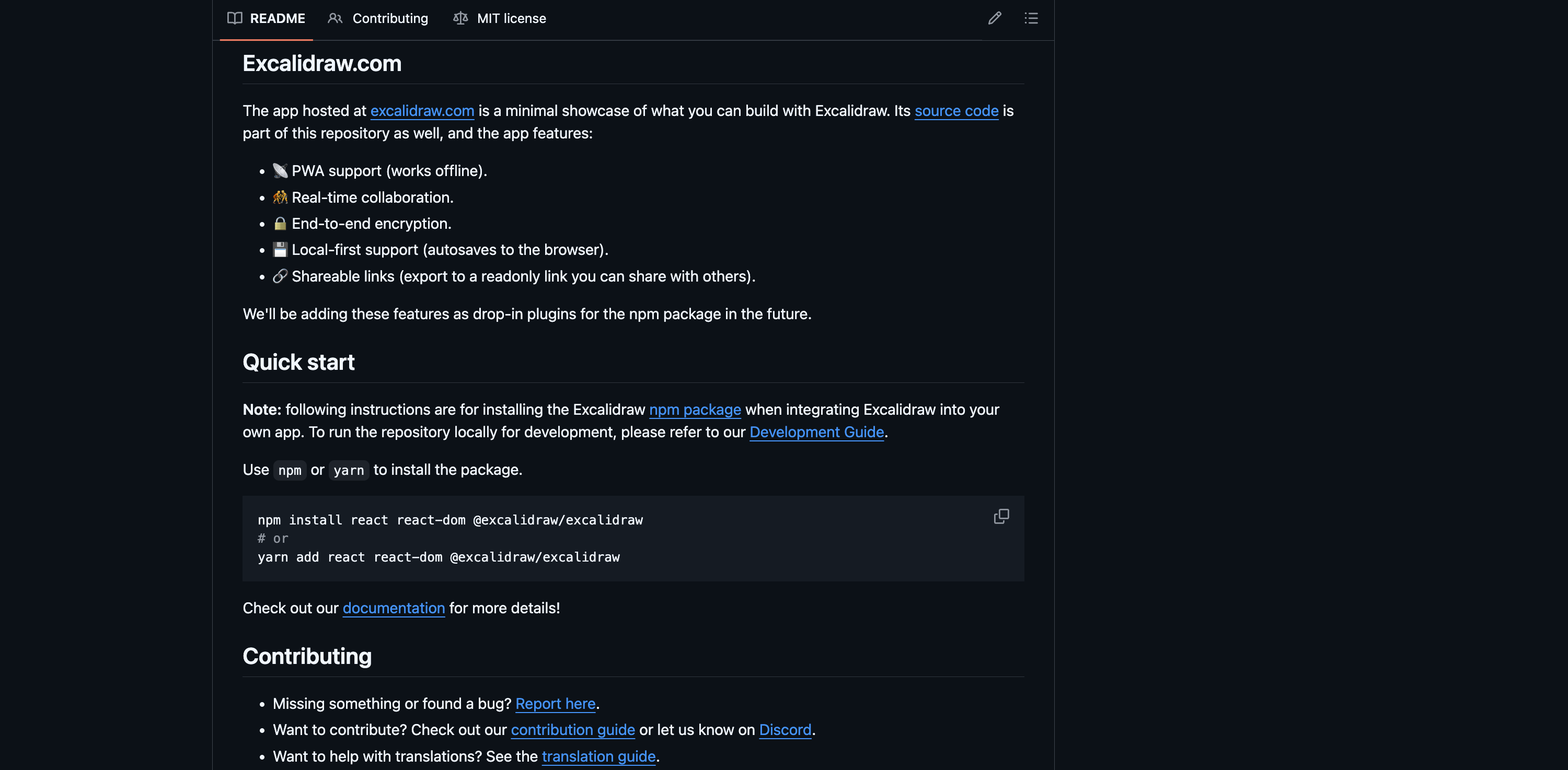
It gives you some context, but it feels static. It’s just text on a page, and you can’t interact with it.
This frustration is common among product people. We have a curiosity that static text cannot satisfy. We want to understand the product’s logic. We want to dig into specific features. We essentially want to have a conversation with the code. There is definitely a pro way to do this. You can download the code, open an IDE like VS Code or Cursor, and use advanced AI agents. I plan to explore those tools in a future article. But let’s be honest. That process is heavy and time-consuming for a simple question. It feels like bringing a bazooka to a knife fight.
Today, I want to show you a lighter, smarter way. You can interview a codebase without ever leaving your browser. We will cover everything from understanding the product to generating documentation. By the end of this article, even if you know nothing about development, you will be able to question code like a pro. This isn’t just about curiosity; it’s about autonomy. You can answer your own questions about business logic and edge cases instantly, without interrupting your developers’ flow. You become a partner who brings informed questions to the table, not just requirements. Let’s dive in!
Import a GitHub repo into a Gemini conversation
Look, I am going to show you something incredible. I honestly don’t understand why people don’t talk about this feature more often. It saves me hours of headache every week. As we discussed, the heavy way involves downloading code and setting up complex tools. But there is a much simpler, more economic way that stays right in your browser. You don’t need to be a developer to do this. You just need a link.
Here is the exact process.
Open your LLM tool. I use Gemini for this example, but ChatGPT and Claude have similar features.
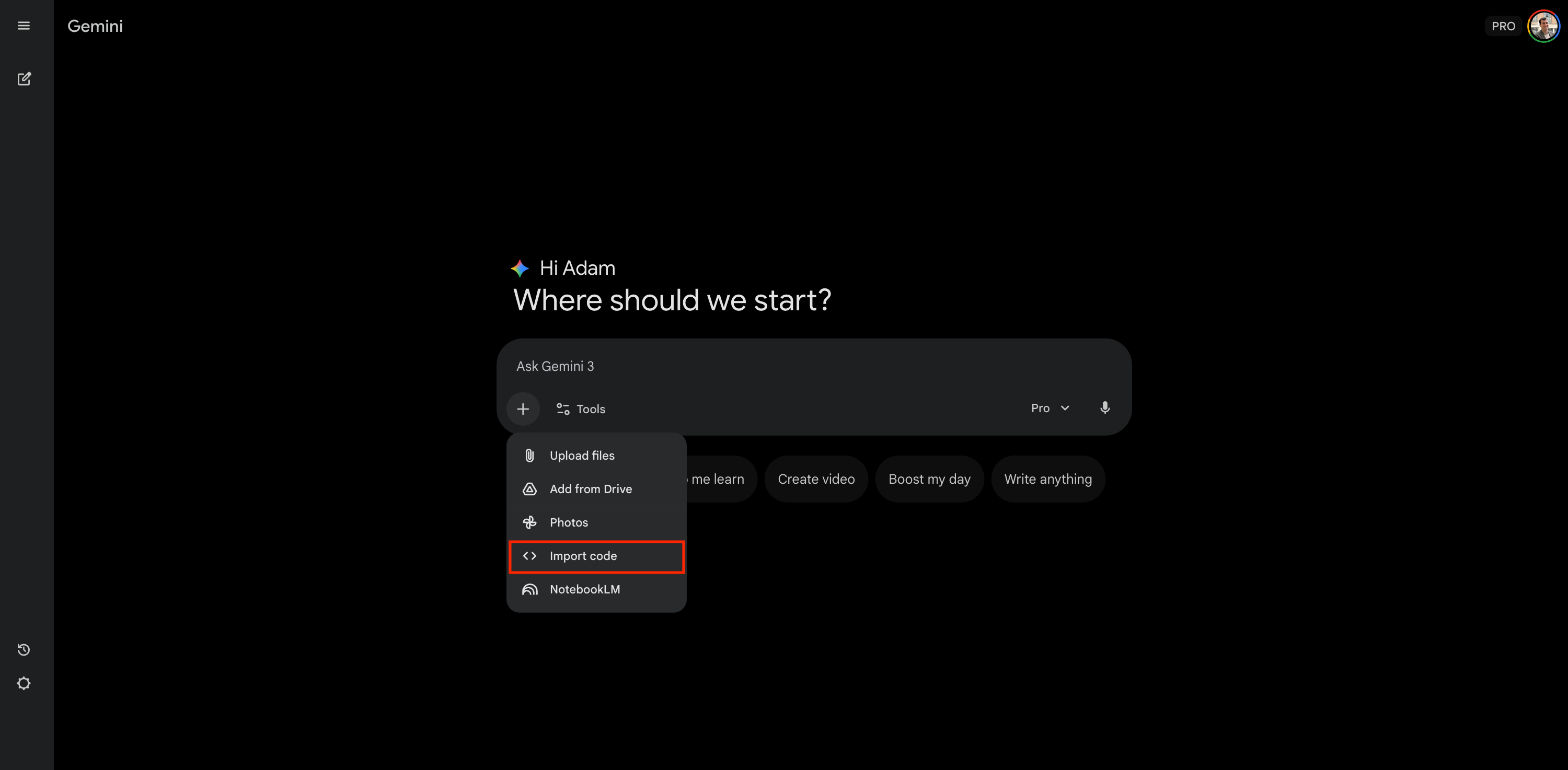
Look for the “Add file” icon in the chat bar. Select the option to “Import code.”
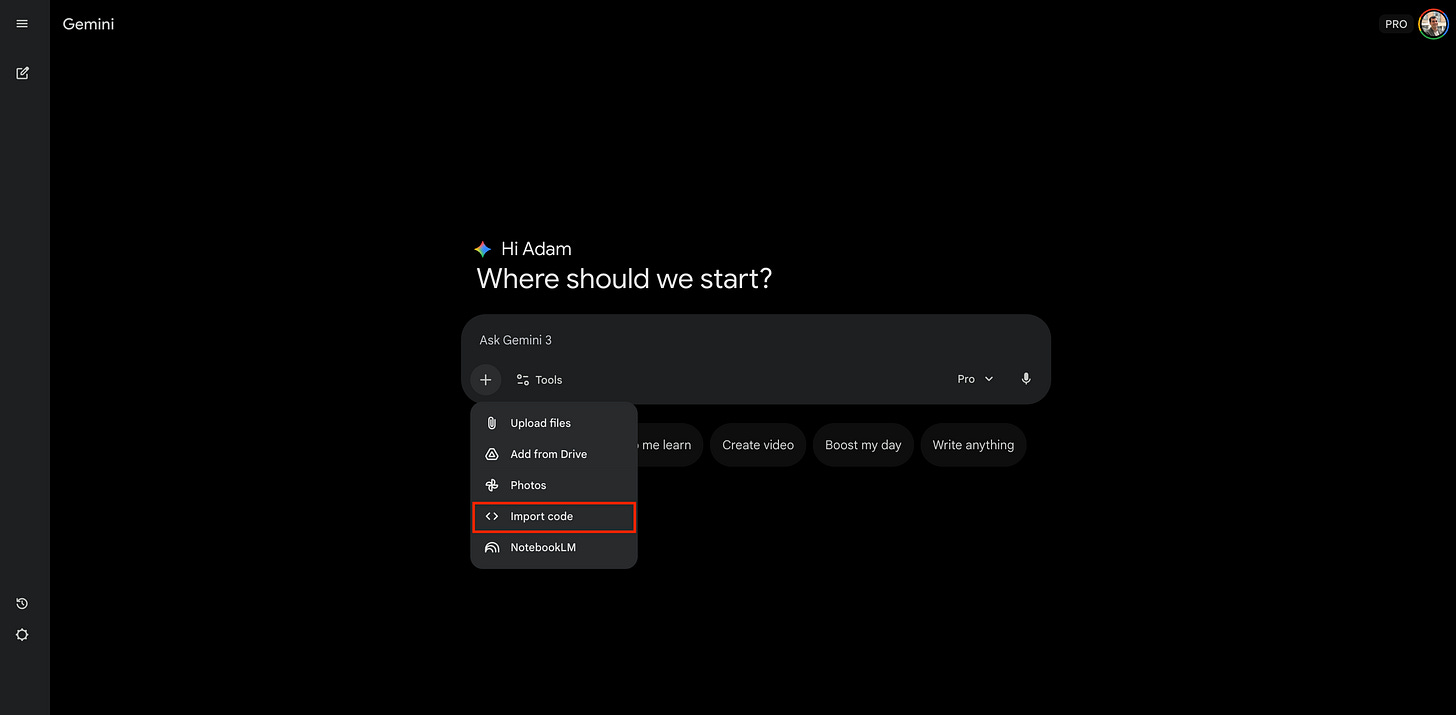
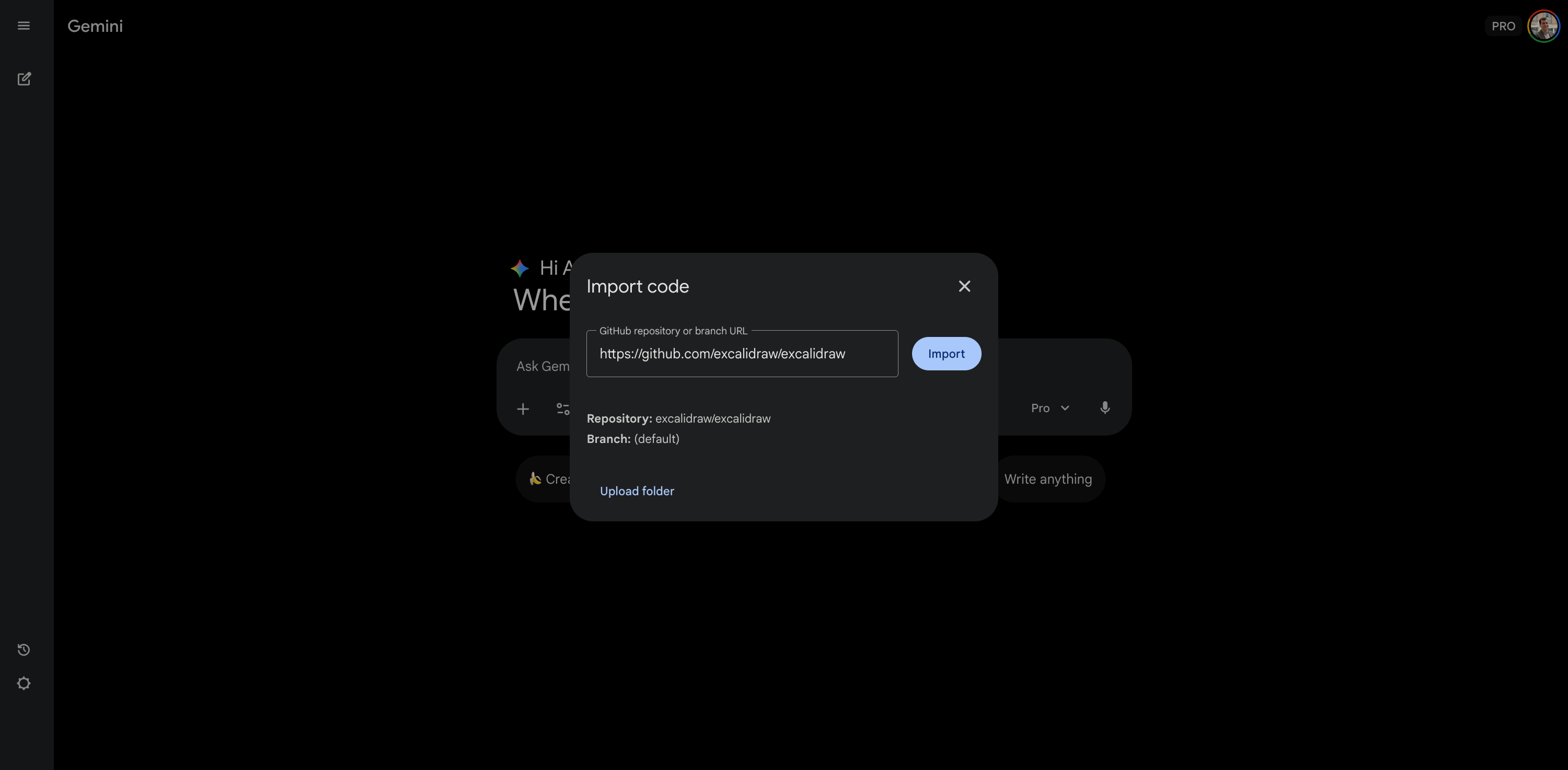
Click the plus button and select Import code Then, simply paste the URL of the repository. In our case, we paste the link to Excalidraw: https://github.com/excalidraw/excalidraw
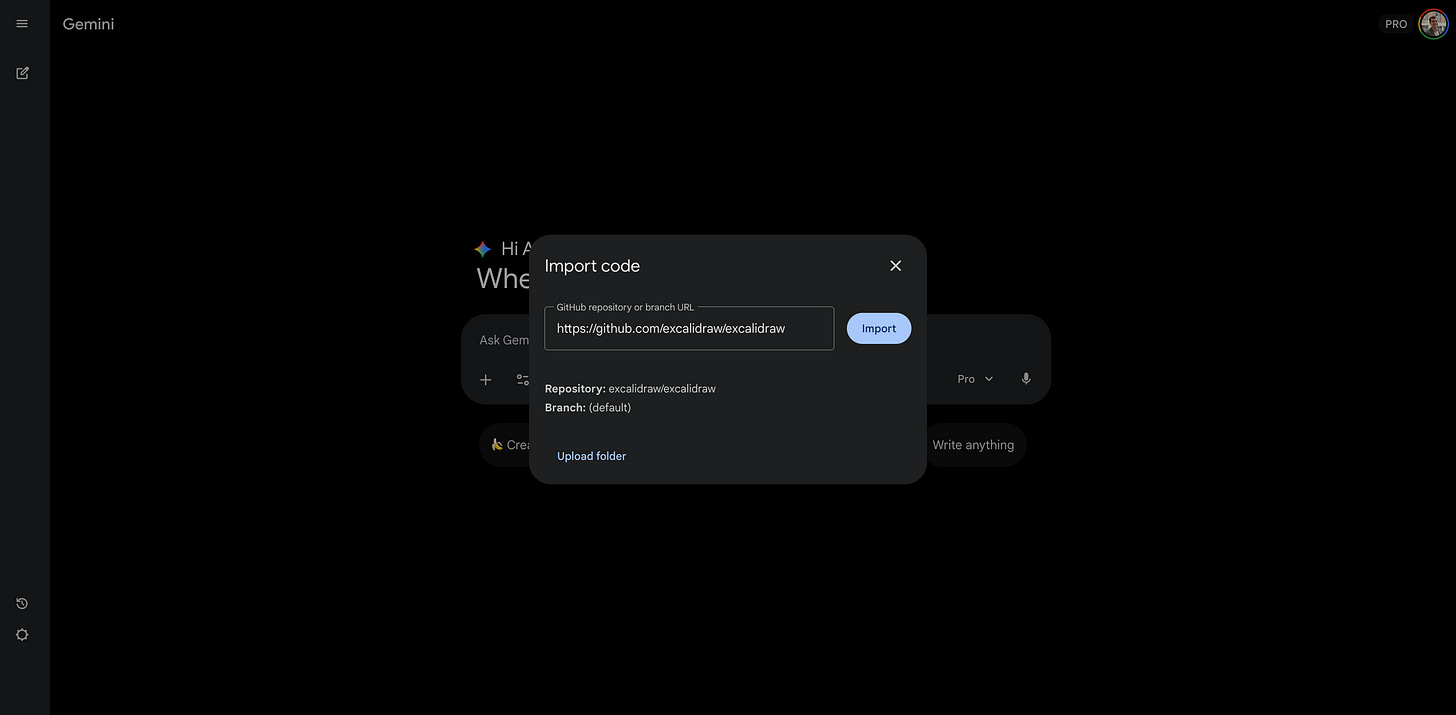
Paste the repository URL into the text box Click “Import.”
That is it. You don’t need to clone files or configure a local environment. You simply type your prompt, click submit, and you are ready to go.
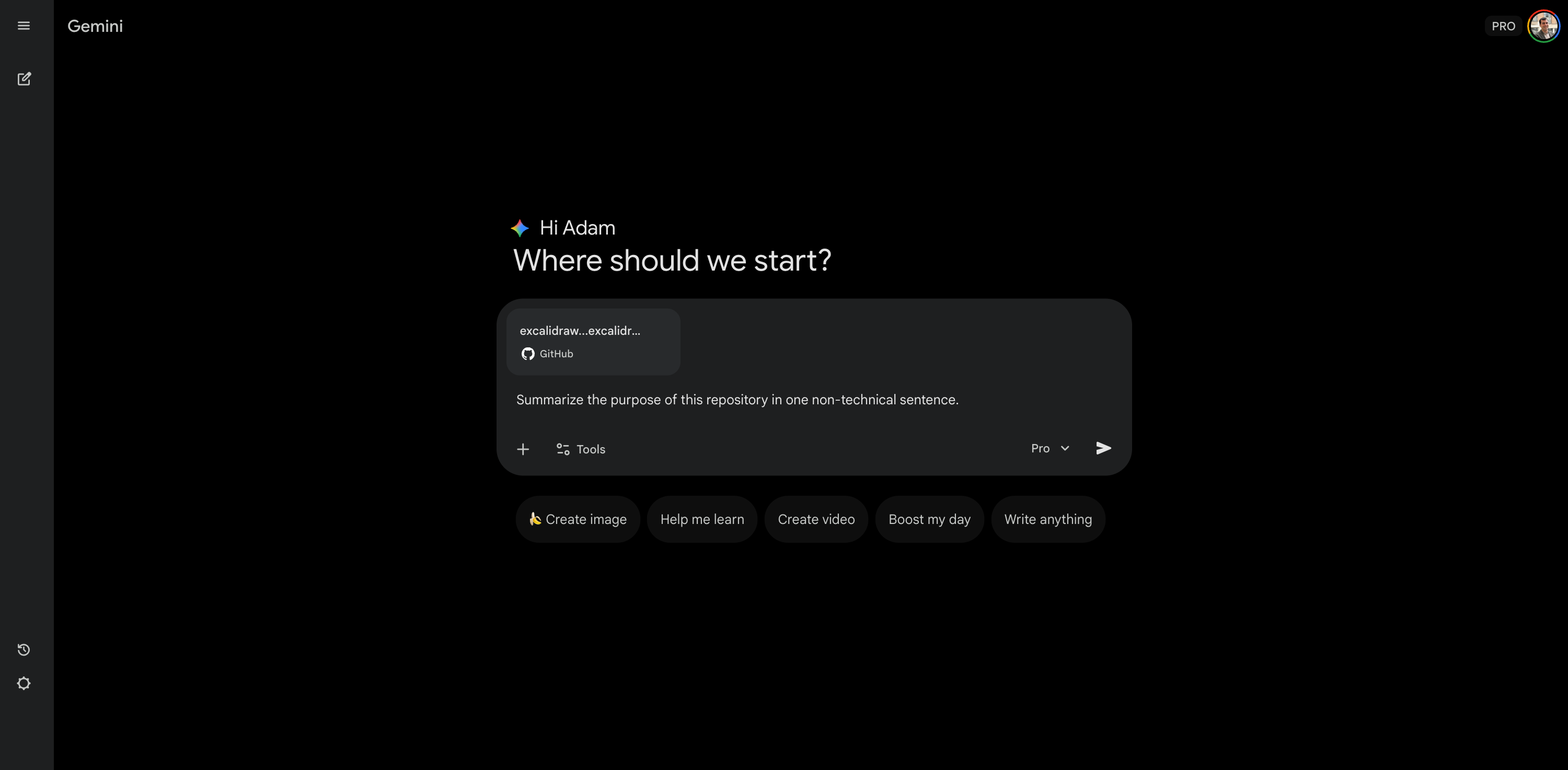
Once you hit submit, the magic happens. The AI processes the link. It indexes the codebase and loads it into its context window. This means the LLM now reads the project files as if they were part of the conversation history. You are now ready to chat with the code. It’s fast, efficient, and requires zero technical setup.
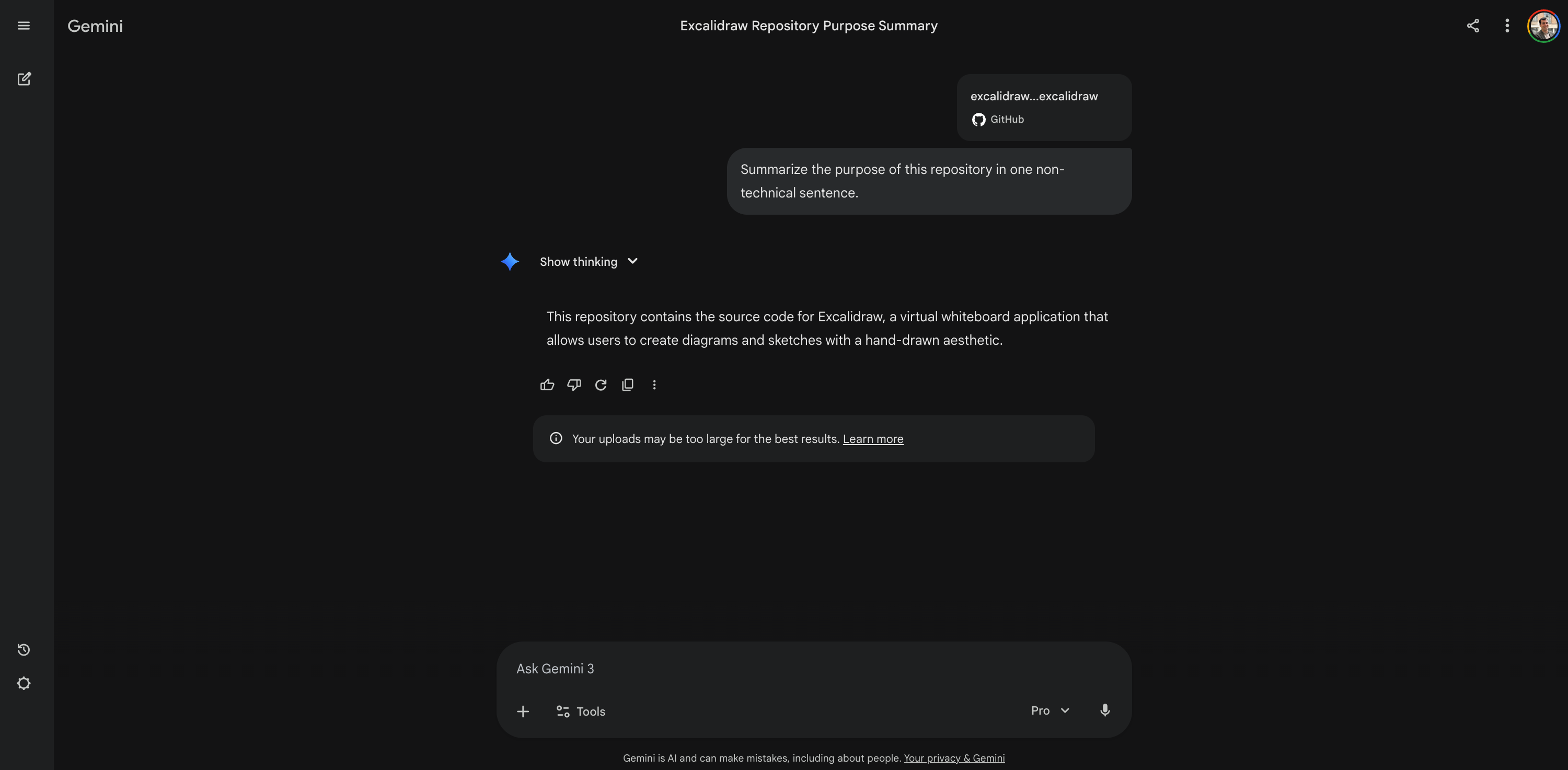
Now that the brain is loaded, we can start asking the real questions.
See the method in action
To prove this works, let’s use Excalidraw. We product people usually know this tool. It’s an open-source whiteboard similar to Miro or FigJam. That is why I picked it. But for this exercise, imagine you have never seen it before. You just landed on the repo, and you are trying to figure out what’s going on. Here are the 5 questions that will change how you look at code.
Summarize the product purpose
Usually, when you discover a new tool, you have to decipher technical jargon to understand the value proposition. You read about dependencies and scripts, but you miss the big picture. But now, you can just ask the code to pitch itself to you. I asked Gemini to summarize the purpose of this repository in one non-technical sentence. The result was immediate. It told me exactly what the tool does and who it is for.
Prompt:
Summarize the purpose of this repository in one non-technical sentence.
Result:
This repository contains the source code for Excalidraw, a virtual whiteboard application that allows users to create diagrams and sketches with a hand-drawn aesthetic.
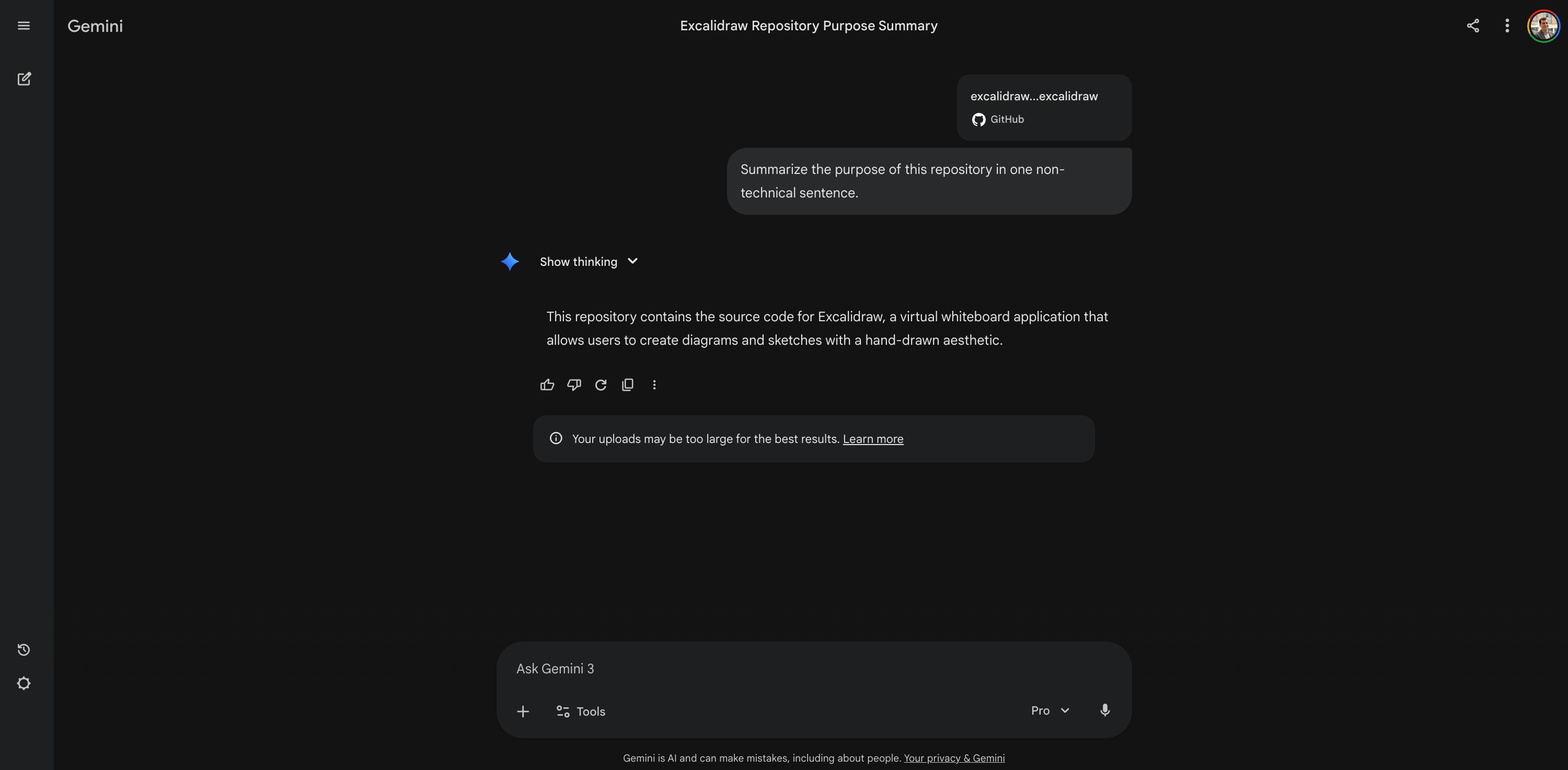
It’s incredible, right? You don’t need to read the code or guess. The context window handles it. You can keep the conversation going without ever re-pasting the link. You just ask, and the answer comes.
Explain how features work
Now let’s get technical. Maybe you have always wondered how a digital whiteboard actually works. Usually, to find this out, you would need to schedule a meeting with a developer. You would have to hunt through thousands of lines of code. Instead, just ask for the logic. I asked Gemini to trace exactly what happens technically when a user draws a line.
Prompt:
Trace the logic: What happens technically when a user draws a line?
Result:
The technical lifecycle of drawing a line in Excalidraw involves a coordinated flow between the event listeners, the main application state, and the rendering engine.
[I’m cutting the rest because it’s too long…]
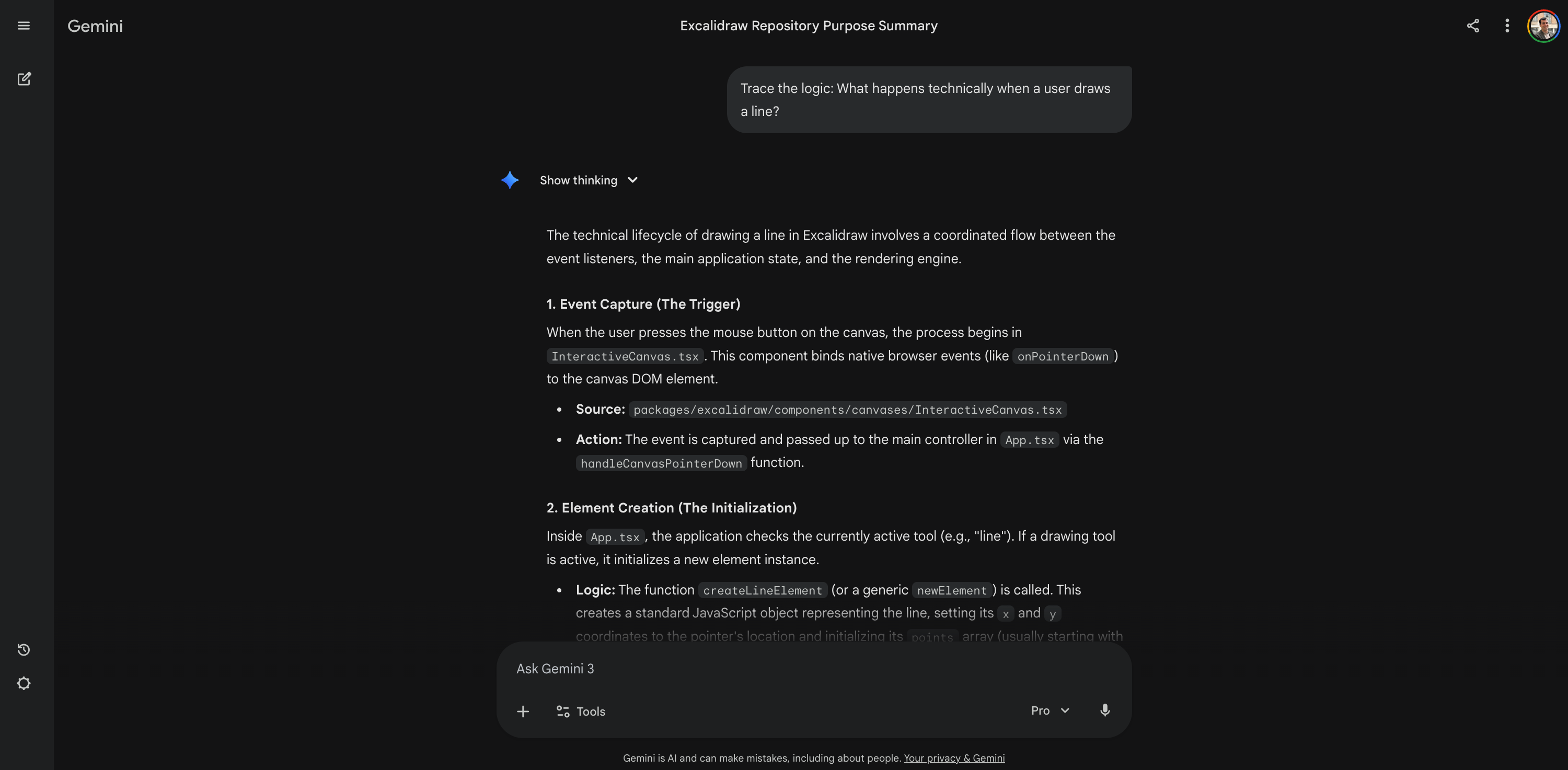
You can even ask about specific business rules. You can ask about hardcoded limits or encryption logic. You get precise answers instantly, without bothering your engineering team. It turns a complex black box into a clear explanation.
Generate product doc
We often have to write documentation, whether it’s for users, testers, or stakeholders. This tool turns the codebase into a content generator. I asked Gemini to generate a full user manual for Excalidraw. I even used the Canvas tool to export it directly to Google Docs.
Prompt:
Generate a comprehensive user manual for the entire product based on the codebase capabilities.
Result:
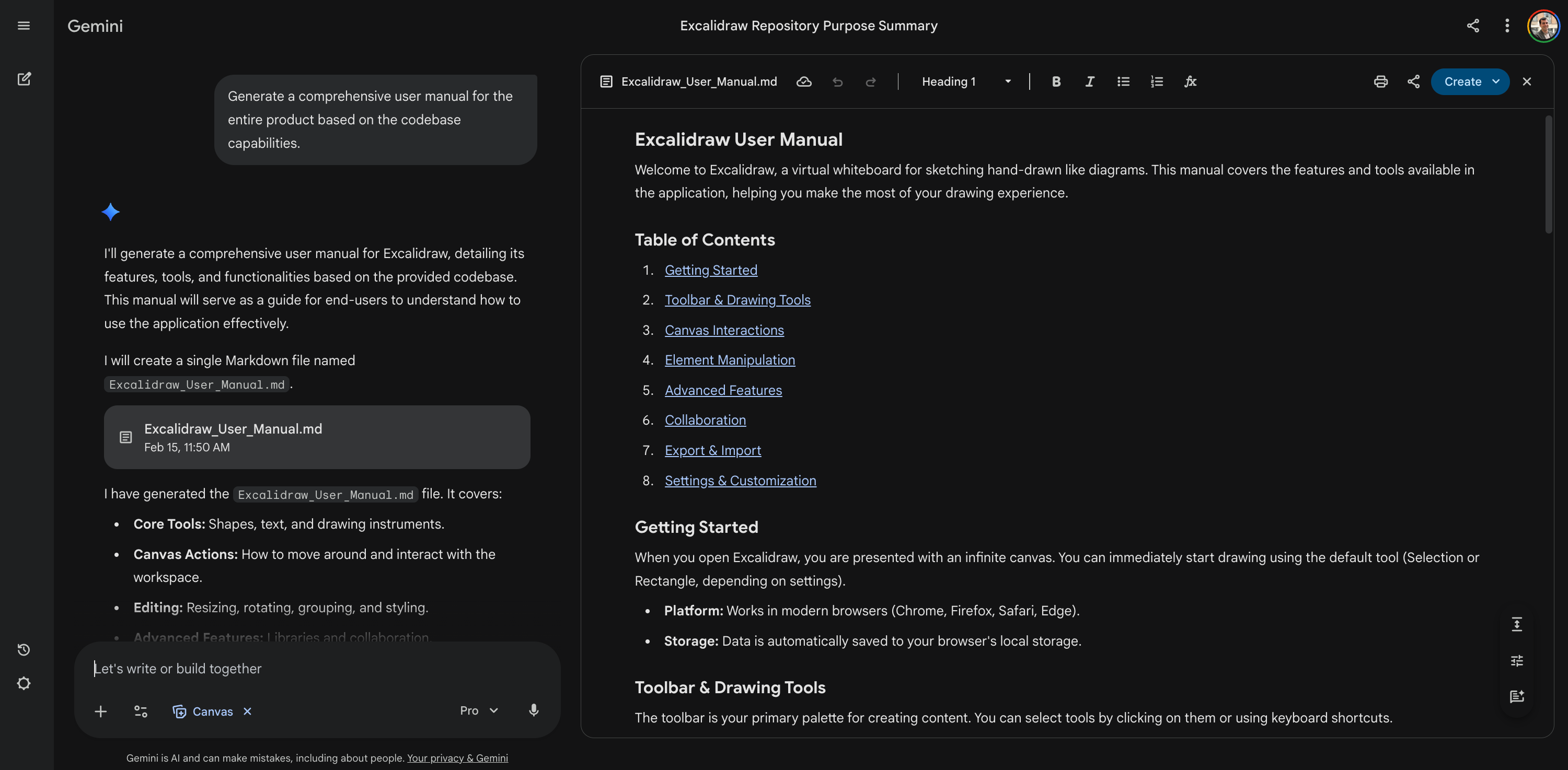
I generated a user manual, but I could have asked for release notes. I could have asked for a testing plan. I could have even asked for a marketing email to announce a new feature. You are literally turning raw code into usable doc assets.
Run the app locally
This is my personal favorite. The README.md often explains how to install the app, but it assumes you are a developer. It skips steps. Personally, I often get stuck. With this method, you can ask for a dumbed-down guide. I asked for a step-by-step guide to run this app locally on my Mac, assuming I am a beginner.
Prompt:
I am a non-technical person. Please generate a step-by-step guide to run this app locally on my specific machine Mac.
Result:
I’ll generate a beginner-friendly guide to running Excalidraw on your Mac. Since you’re non-technical, we’ll avoid complex developer tools where possible and stick to the easiest path.
Here is the step-by-step guide:
[The specific steps to the right of the conversation, on the Canvas…]
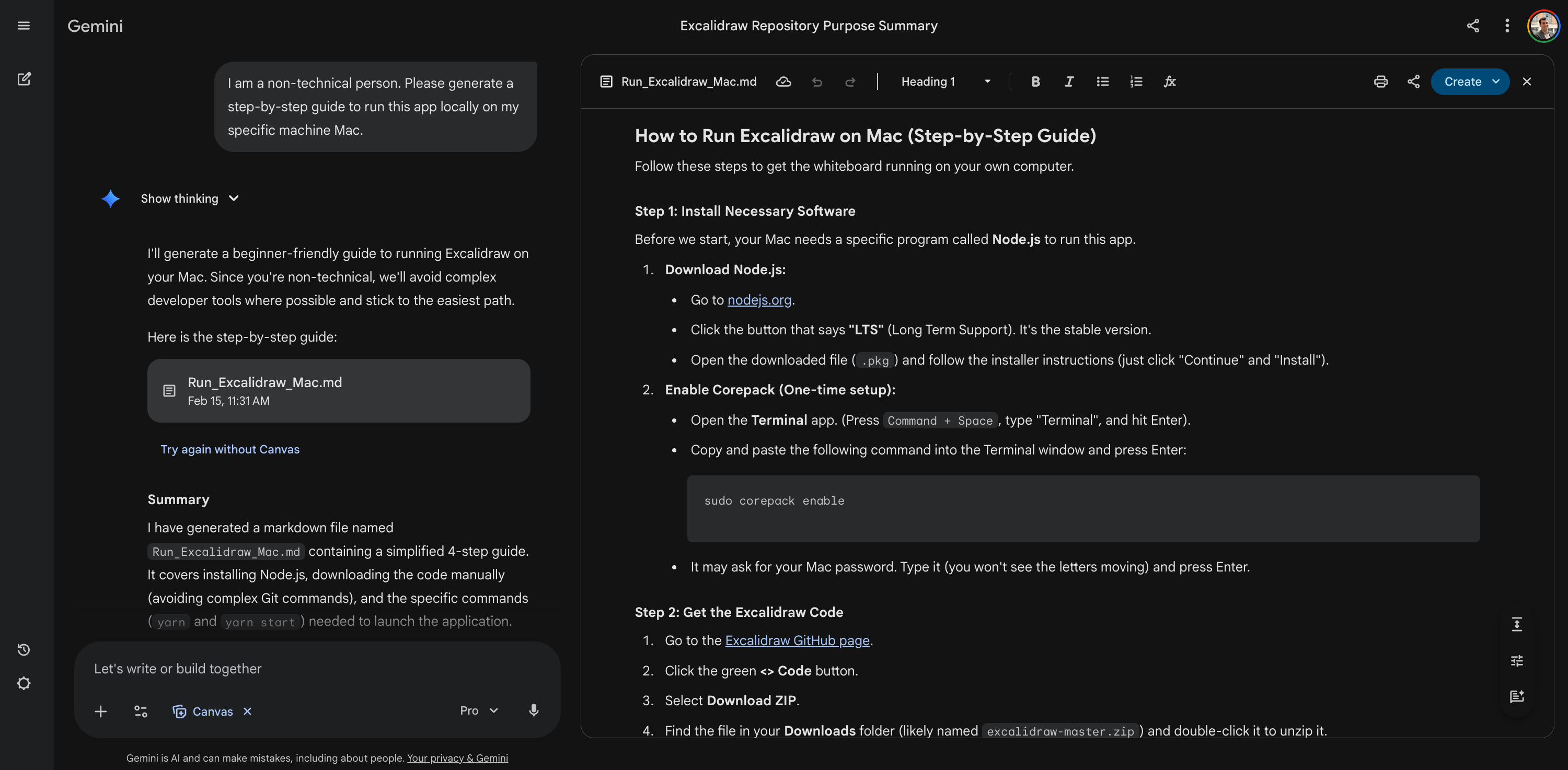
I followed the steps like a cooking recipe and it worked. I deployed the app locally and tested it in minutes.
If the terminal throws a red error message, don’t panic. Copy the error, paste it back into Gemini, and ask: “I got this error. What is the specific command to fix it?”
Suggest code optimizations
For those who want to go further, you can actually use this to help your team. You can identify bugs or suggest optimizations. I often use Gemini for this because its suggestions are accessible. I asked it to analyze the code for fragile logic and suggest optimizations.
Prompt:
Debug the current code: Identify 3 areas where bugs are likely to occur.
Result:
Based on the file structure of the Excalidraw repository, here are 3 specific areas where bugs are likely to occur due to the complexity of the logic involved:
[Cut…]
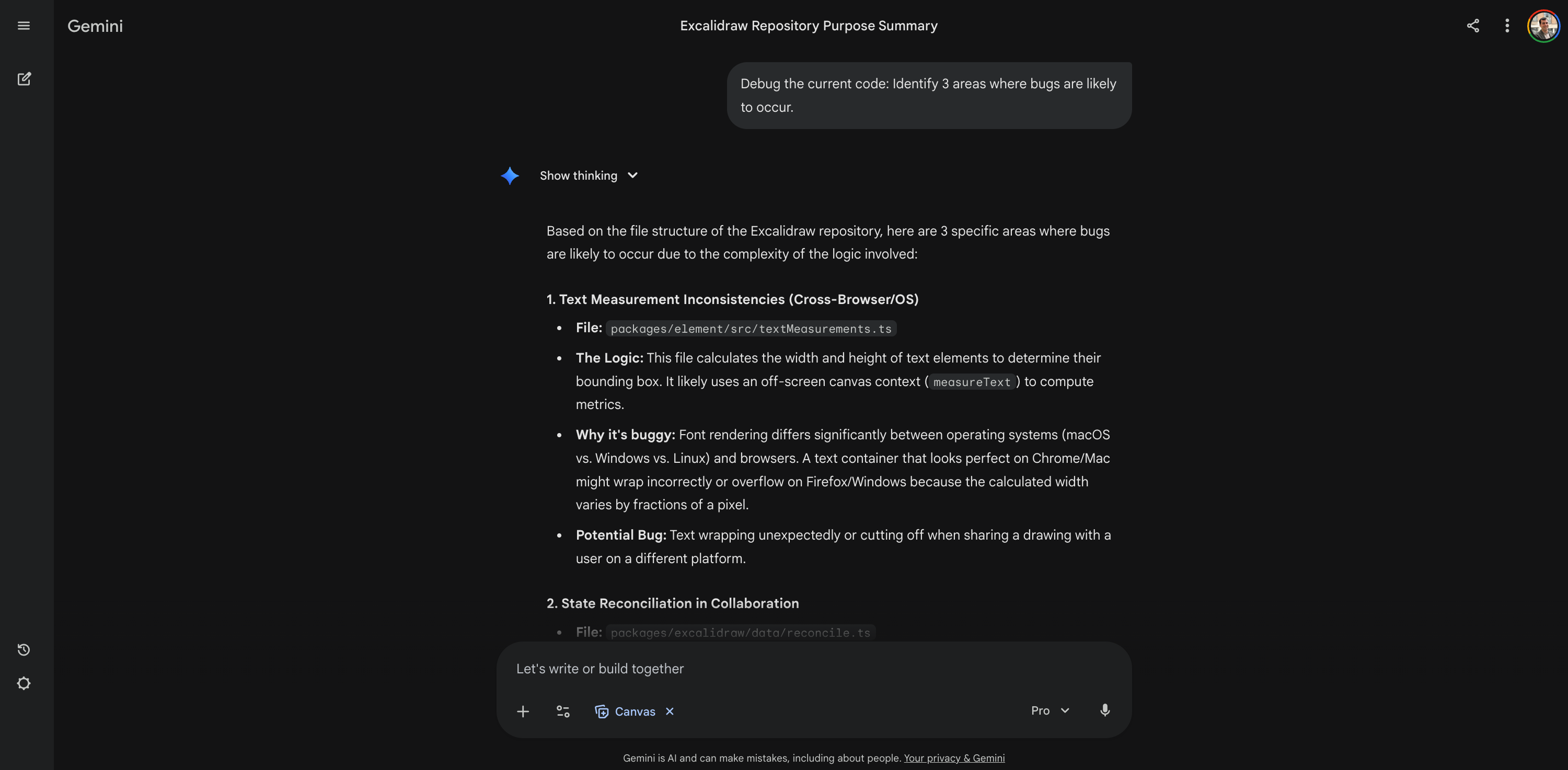
I am genuinely impressed by the results.
Pro tip: I use Gemini for optimizations because it explains things well. However, if I hit a really complex bug where I am completely stuck, I prefer Claude. I attach the specific file, and Claude is often sharper at spotting the exact logic error to fix it.
Practice the method yourself
To be honest, I didn’t have much time to write this week. That’s why I am moving fast. But I want to leave you with something concrete to play with. Here is my proposal. I have selected 5 open-source repositories for you to test. Excalidraw is just one of them. You can pick any of these, paste the URL into your favorite LLM tool, and start the interview.
Select a repository to test
Here are the repositories I suggest, but you are free to pick another one that you like.
Excalidraw: This is the virtual whiteboard for sketching diagrams we just looked at. It’s a tool, not a platform. So the complexity isn’t in the database; it’s in the UI and state. It’s great for asking user flow questions. Try asking: “Does this work offline?” or “How is the data saved if there is no login?”
Cal.com: This is an open-source alternative to Calendly. It lets people book meetings with you. It has a crystal clear happy path: User A sends a link, User B books a time, and an email is sent. It’s perfect for asking about business logic. Try asking: “What happens to the booking if the Google Calendar API goes down?” or “How do we handle timezones?”
Forem: This is the software that powers dev.to. It’s a platform for building communities. It’s huge and complex. It has roles like admin and moderator. It has permissions and rewards. This is the best repo to practice asking business logic and configuration questions. Try asking: “Can I turn off the shop feature easily?” or “What are the different user roles?”
Strapi: This is a headless CMS to manage content. It sends data to your website or app via API. It has two distinct users: the developer who sets it up, and the content editor who writes articles. It’s perfect for practicing persona questions. Try asking: “Who is this feature for? The dev or the writer?”
NocoDB: This is an open-source alternative to Airtable. It turns any database into a smart spreadsheet. It connects to external things. It’s great for asking prerequisite and risk questions. Try asking: “What databases do you support?” or “If NocoDB crashes, do I lose my actual data in MySQL?”
Ask these specific questions
Now that you have the target, you need the questions. I have prepared a codebase interview guide for you. It acts as a cheat sheet.
I organized it into two main scenarios:
Discover a new codebase: You have never seen the code before and want to understand how it works.
Collaborate on an existing project: You work on the team and need to debug issues or write documentation.
But remember, these are just suggestions for inspiration. If you have your own specific questions, ask them! If you lack inspiration, feel free to use mine.
Scenario 1: Discover a new codebase
JTBD 1: Understand the product basics
Summarize the purpose of this repository in one non-technical sentence.
Who is the primary user persona for this specific codebase?
Does this project run standalone, or does it require a separate backend/database?
What are the primary input and output formats?
Is this project a monolith (everything in one place) or a monorepo (multiple packages)?
JTBD 2: Map the core architecture
What is the complete data structure of the main domain entity or core object?
Where is the entry point for the main application state or data store?
How does the application detect and handle core user interaction?
Trace the logic: What happens technically during the primary happy path action?
How is the visual styling or theming handled?
JTBD 3: Identify business rules
What is the logic for authentication and authorization (who can do what)?
How does the main export or data output function work?
Are there any hardcoded limits or constants (e.g., max size, max count, timeout)?
How is language or internationalization (i18n) handled?
What logic handles data persistence (saving)?
JTBD 4: Run the application locally
I am a non-technical person. Please generate a step-by-step guide to run this app locally.
List the scripts found in package.json (or Makefile) and explain what they do.
Does the project use a configuration file (like .env), and what are the required keys?
Is there a container configuration (Docker/K8s)?
What are the key external dependencies or libraries?
Where are the standard test fixtures or mock data stored?
Scenario 2: Collaborate on an existing project
JTBD 5: Debug and improve the code
If we wanted to add a [new feature], which files would we need to modify?
How does the application handle failure states (e.g., offline, API down, database error)?
Where is the input validation or sanitization logic?
Are there any feature flags or config variables enabled in the code?
Check the [critical performance path]. Is it optimized?
Based on the code structure, suggest 3 specific code additions or improvements.
Debug the current code: Identify 3 areas where bugs are likely to occur.
Analyze the code for potential fragile logic (like unhandled errors) and suggest specific test cases to trigger them.
JTBD 6: Generate documentation and content
Generate a comprehensive user manual for the entire product based on the codebase capabilities.
Write a draft of the release notes summarizing the top 3 capabilities found in the codebase.
Compose a marketing newsletter post announcing the [specific feature] to our users.
What are all the accepted user inputs/shortcuts defined in the code?
List all the supported integration or export formats.
How does the [specific protocol/API] structure look?
Does the code contain any accessibility (A11y) attributes?
What specific security libraries or encryption methods are used?
Just imagine for a second. Instead of pinging a developer on Slack and waiting hours for a reply, you can now get an instant response directly from the LLM.
Manage restrictions and access
Know the limits
It’s important to remain realistic. This tool is powerful, but it’s not magic. There are specific things it simply cannot do.
First, Gemini cannot see the past. It analyzes the files as they exist right now, like a snapshot. It does not have access to the Git history or metadata. You cannot ask “Who wrote this line?” or “How many pull requests were merged last week?” For questions about people, contributors, or timelines, you should stick to the standard GitHub interface.
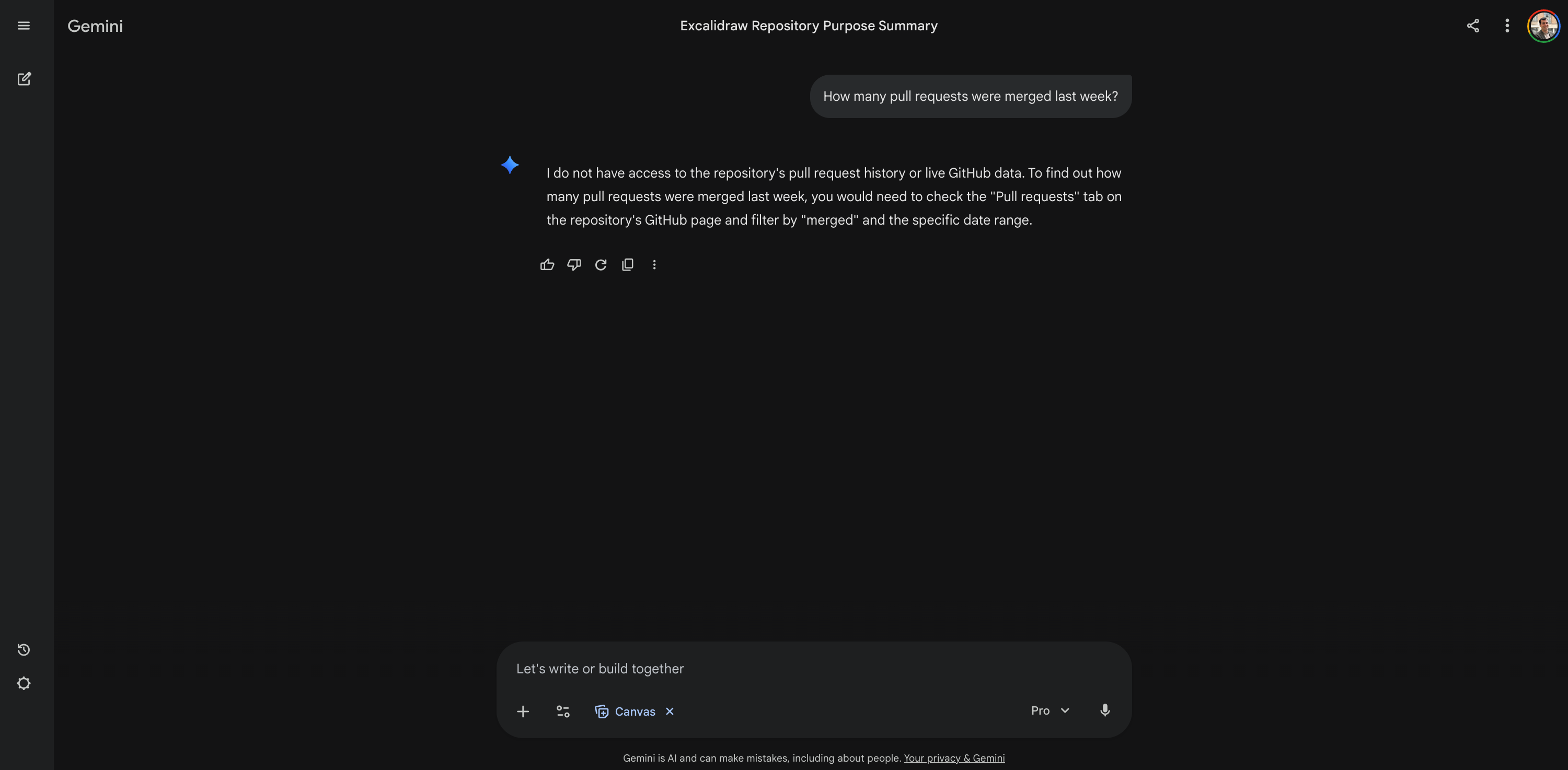
You also need to know that the conversation is static. The code you import does not sync in real-time. If your engineering team pushes a major update five minutes after you start your chat, Gemini will not know about it. It’s frozen in the moment you imported it. If the code changes significantly, you must simply start a new conversation.
There are also technical limits on the size of the project. You cannot upload a massive corporate monolith. Currently, Gemini limits you to one repository per chat. The project must have fewer than 5,000 files and be under 100 MB in size. This is plenty for most modern microservices or tools like Excalidraw, but it will hit a wall with huge legacy codebases.
Finally, be prepared for a change in pace. Responses will be slower. Because the system has to scan thousands of code files for every query, it takes more time than a normal chat, especially with the “Pro” model. This heavy lifting also comes at a cost. You will burn through your daily usage limits much faster. I actually hit my daily cap just by testing this today. Fortunately, the reset only took an hour, but keep in mind that interviewing a codebase consumes significantly more tokens than a standard conversation. It’s a power user feature, and it costs power user credits.
Analyze private repos
You might be wondering about your own work. “Does this only work for public open-source projects?” The answer is no, it works for private repositories too. You do not need to make your code public. You simply need to connect the AI tool to your GitHub account in the settings. Here is the step-by-step guide (with a crucial tip):
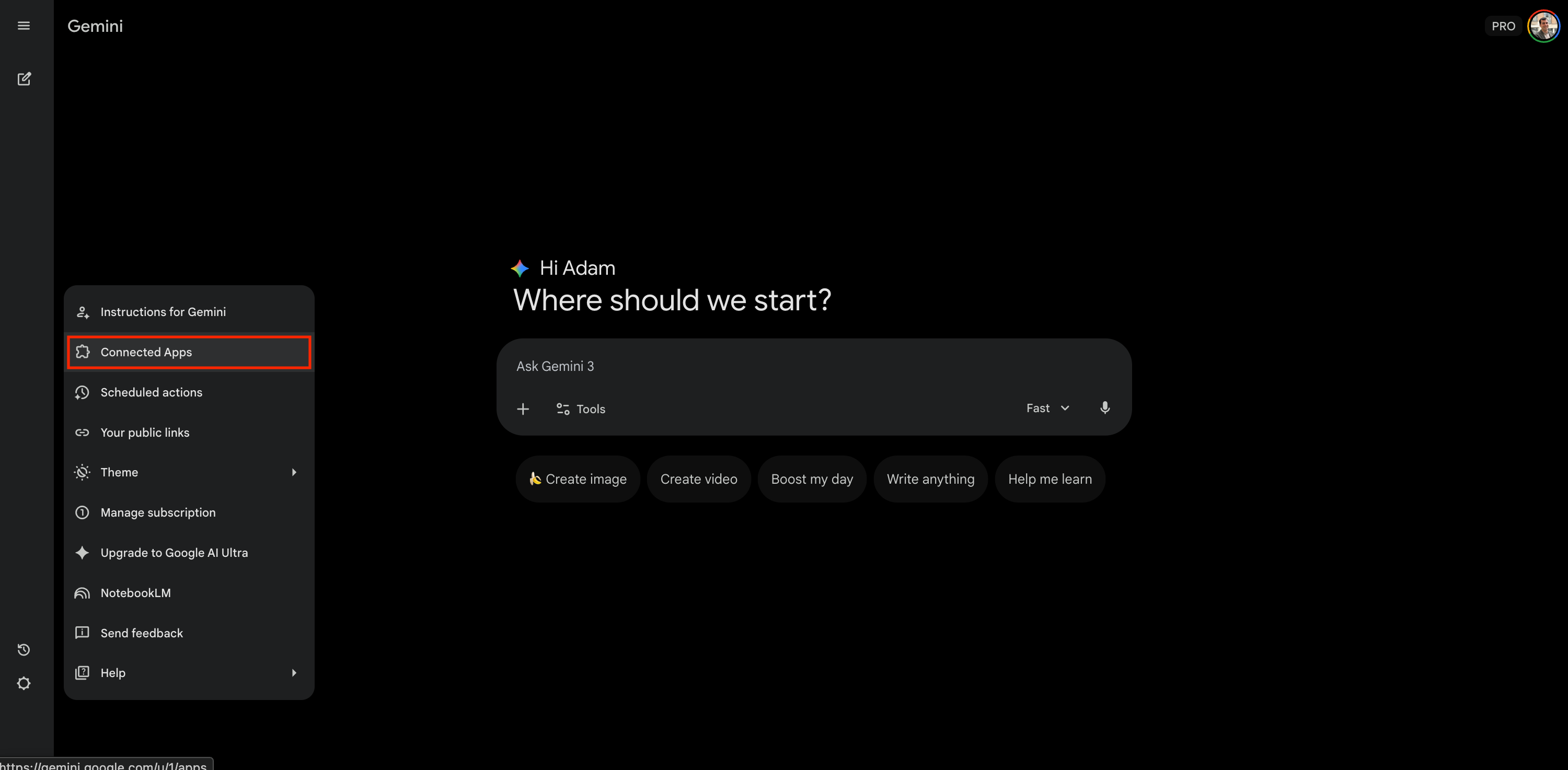
Go to Settings > “Connected Apps.”
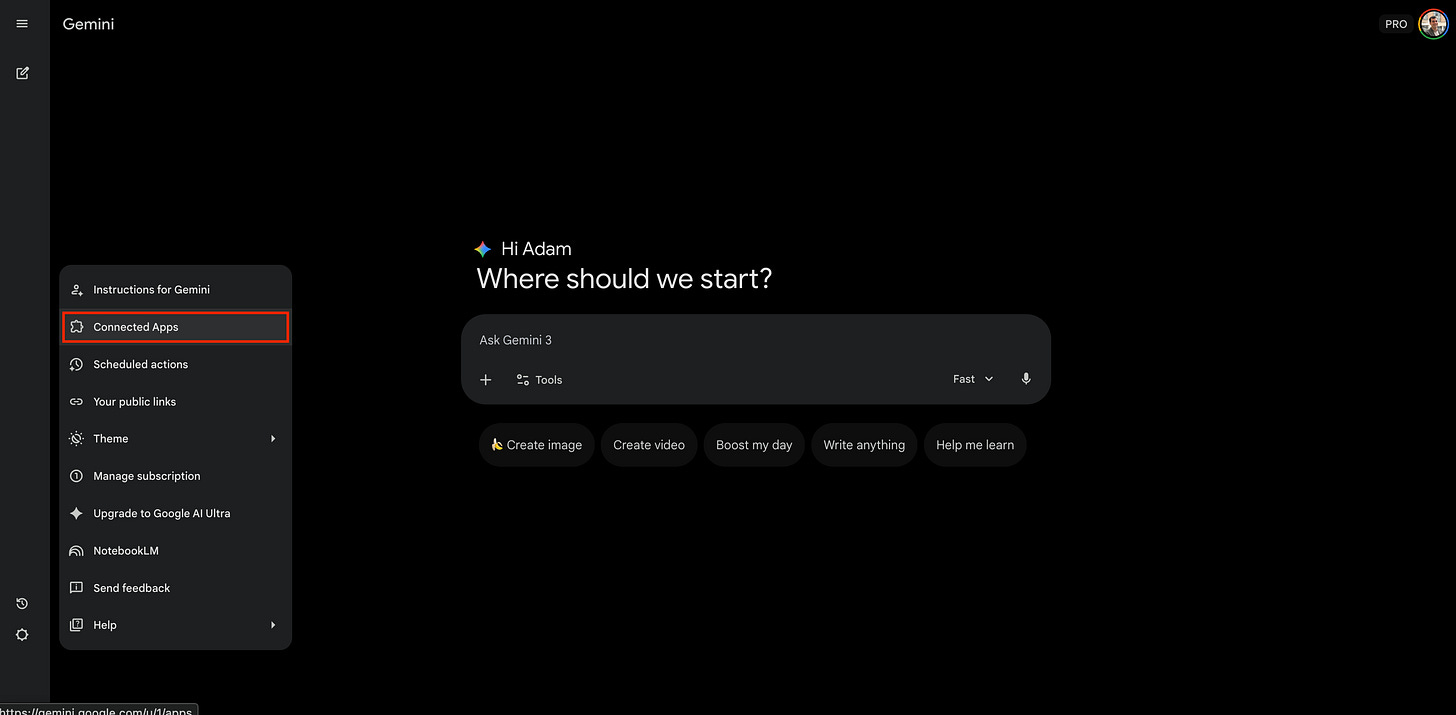
Click on Connected Apps in the settings menu Find GitHub and toggle it to “On”. Click Connect.
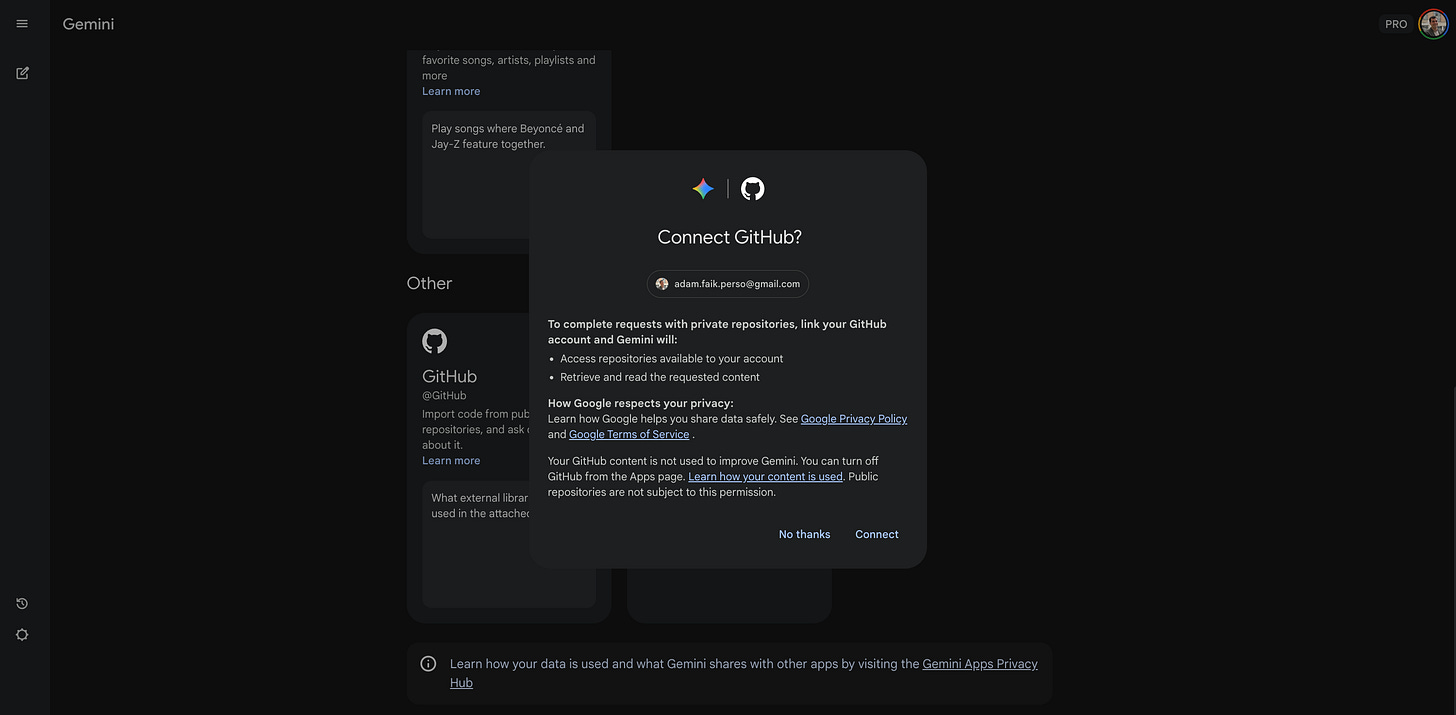
Click the connect button to link your account Important step: You need to click on “Learn more” and then click the “Connect” button again to force the authorization window.
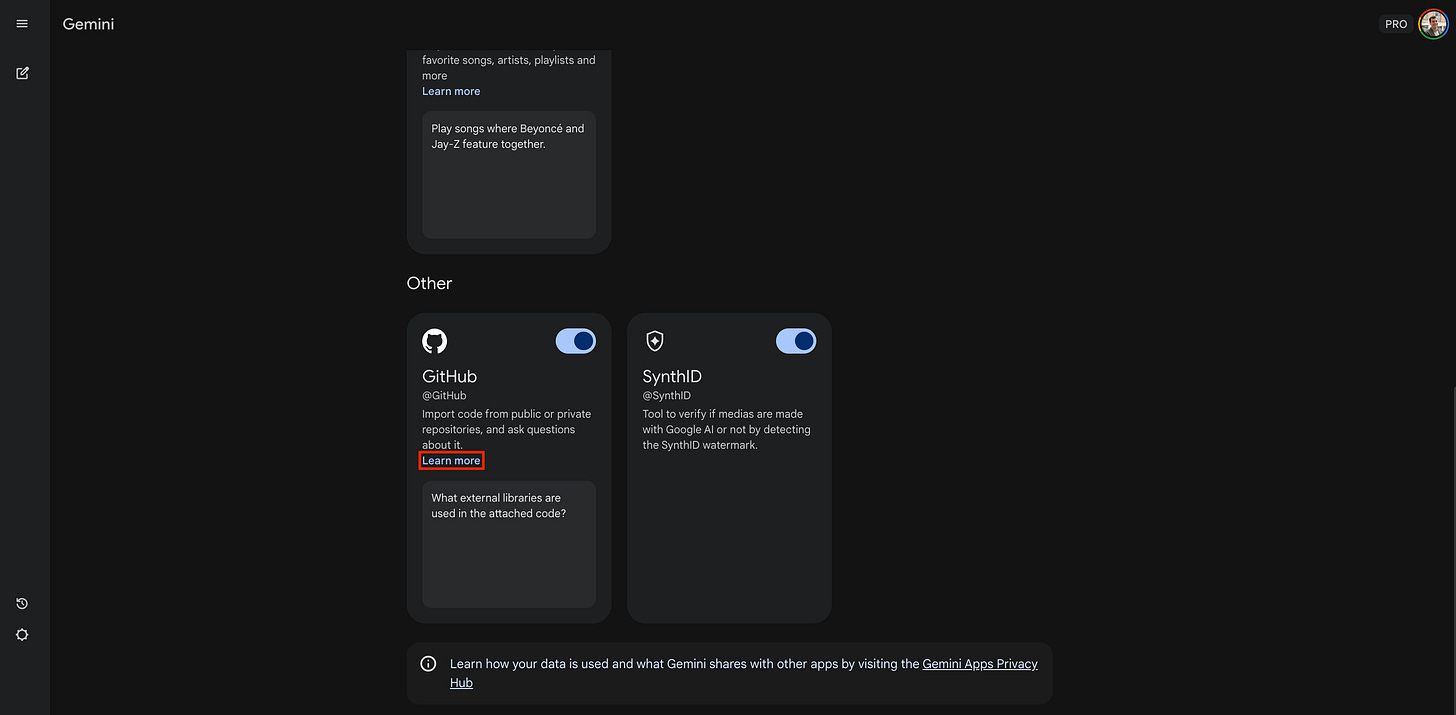
Click the “Learn more” link to finalize the connection Continue the steps until you see your specific GitHub ID displayed on the Gemini screen.
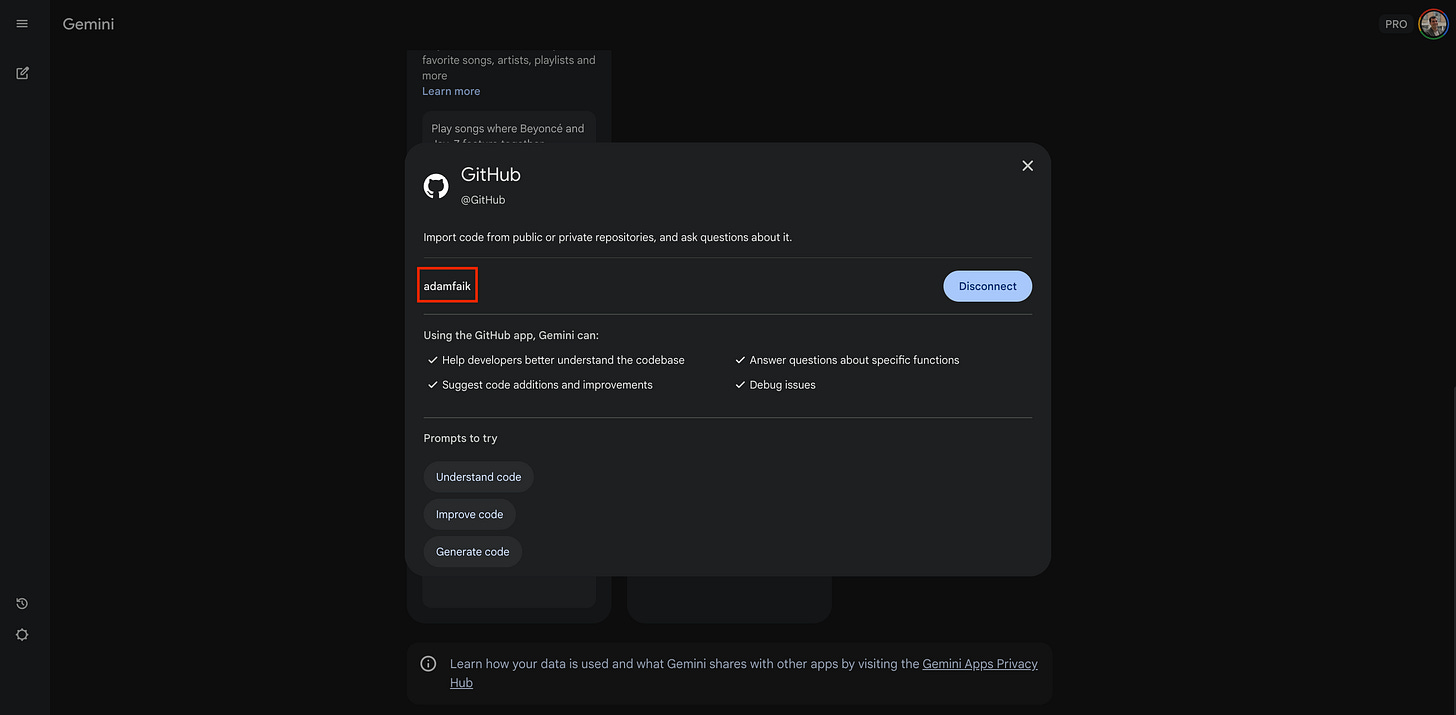
Verify your GitHub ID appears on the screen
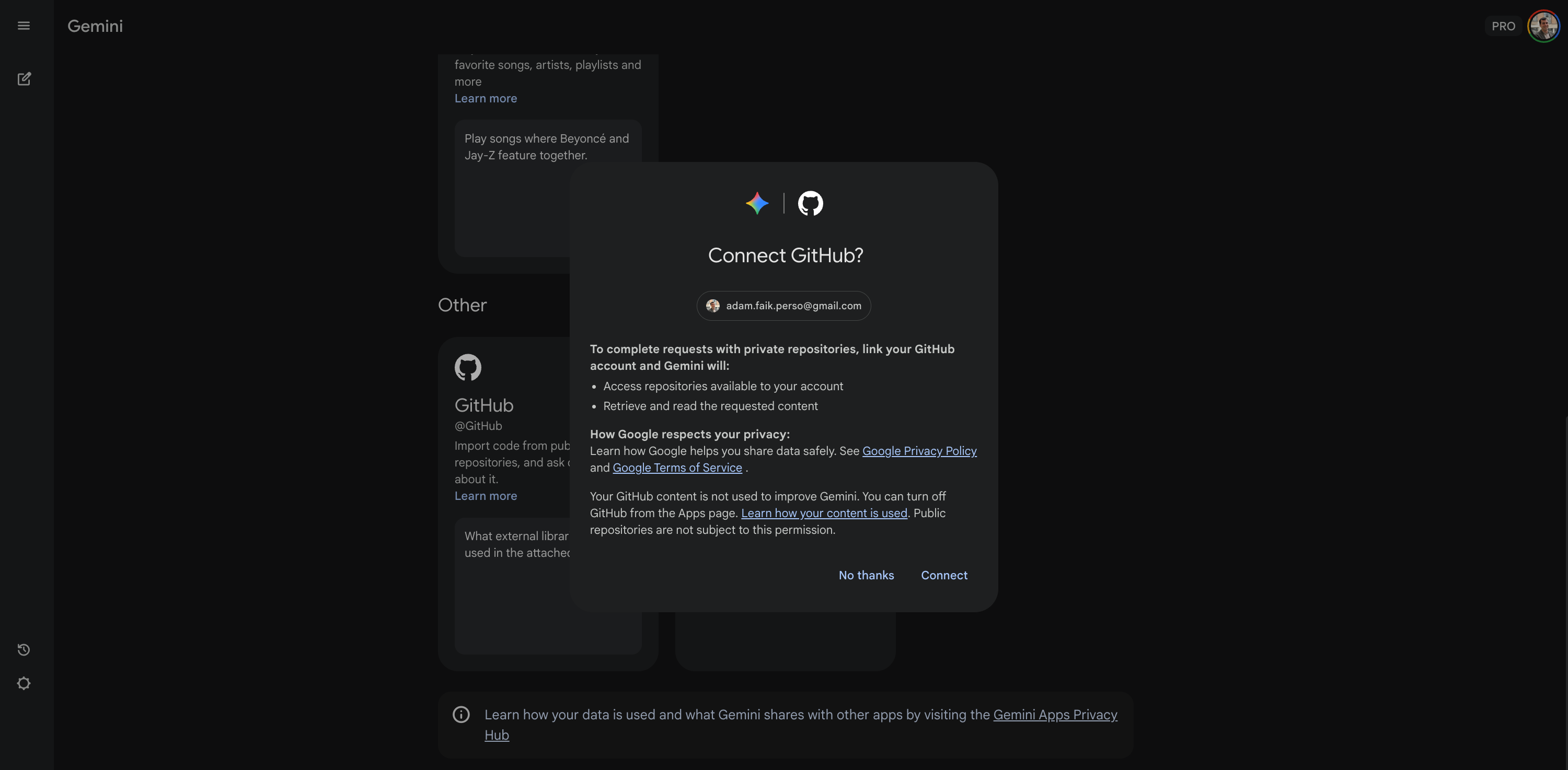
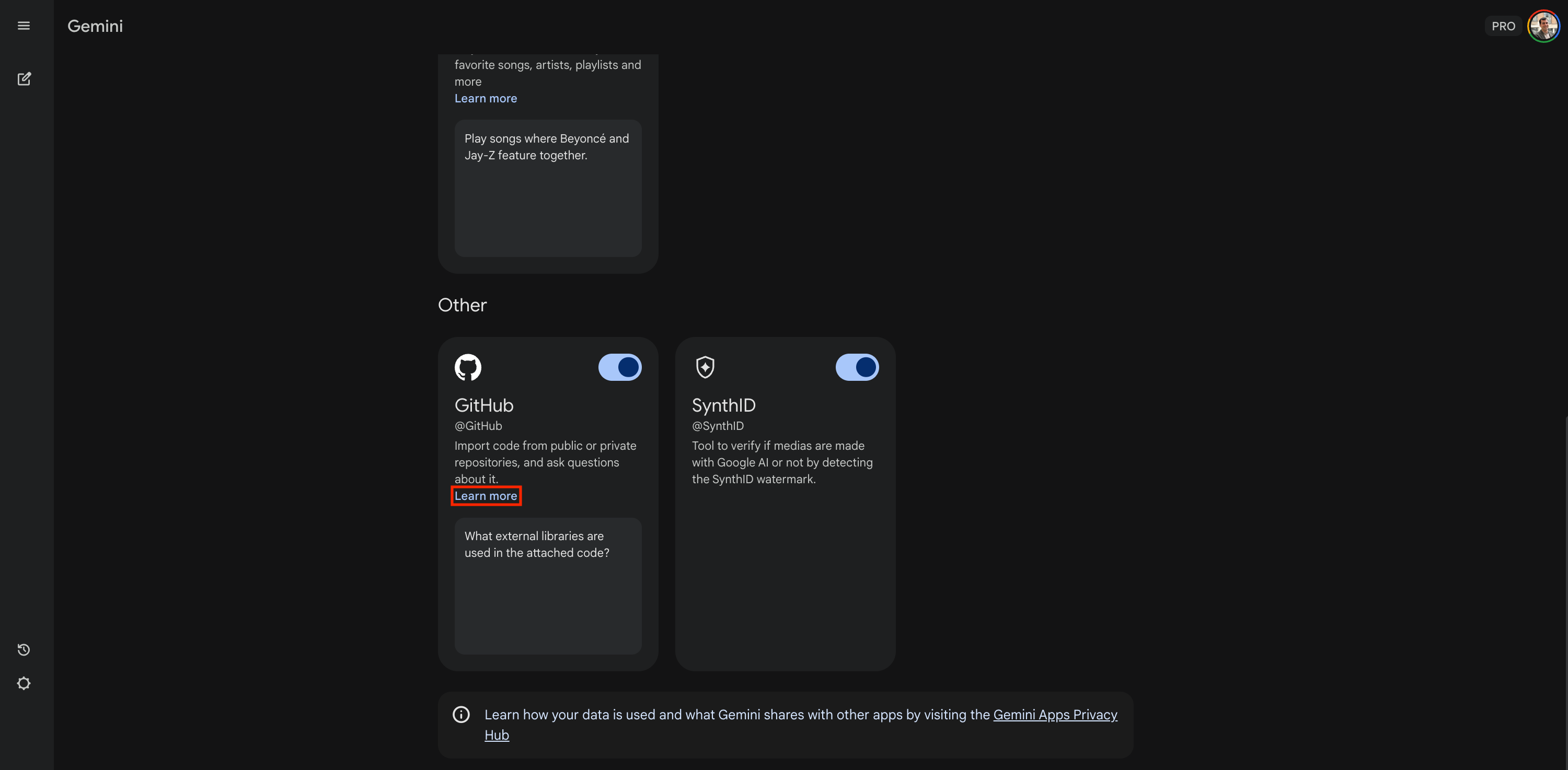
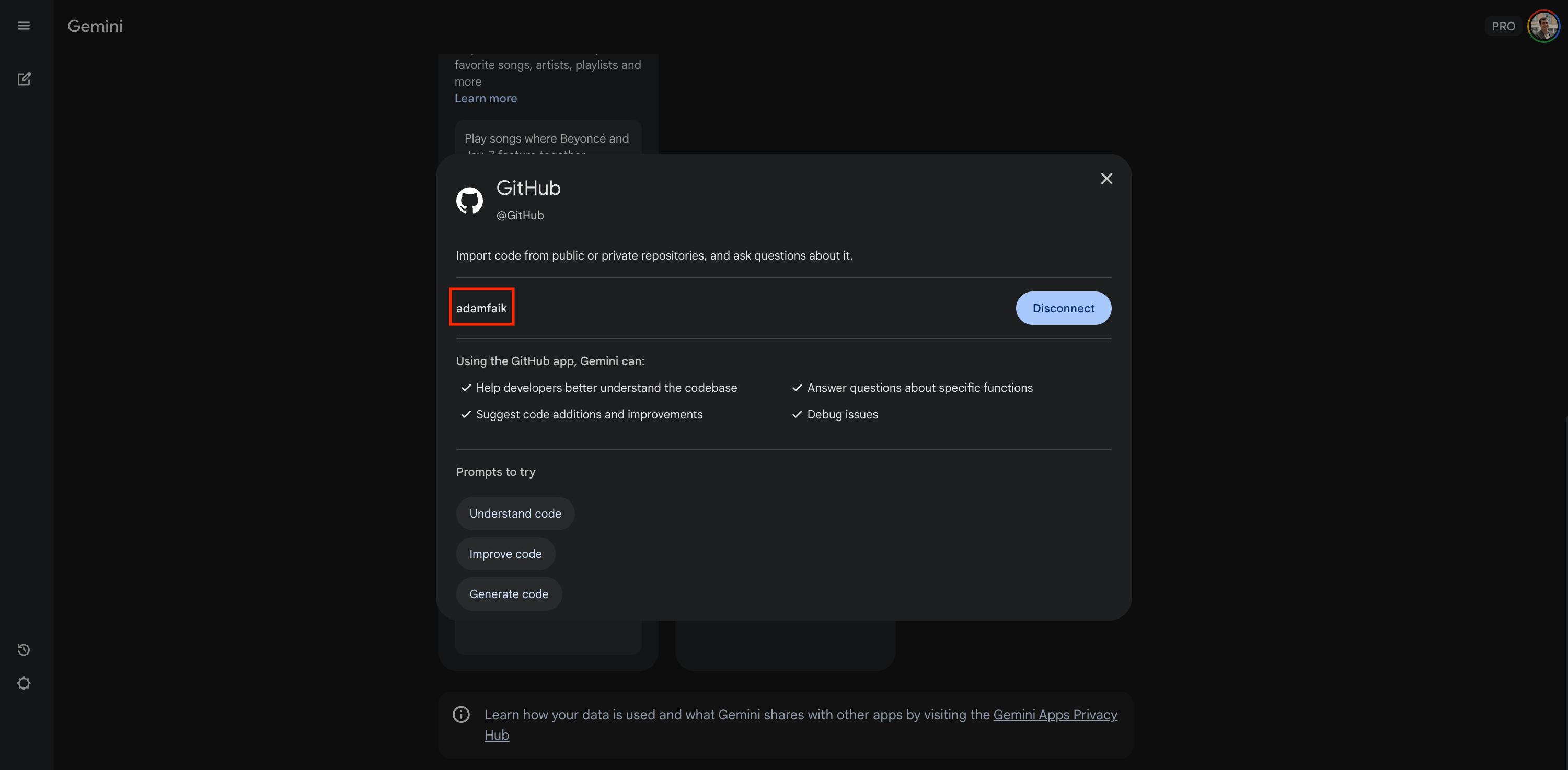
Once connected, you can interview your private code just as easily as we did with Excalidraw.
Important note: If you are at a large company, check your internal AI policy. For personal projects or open source, this is fair game.
Explore alternatives
Gemini is my go-to because it’s easy, but it’s definitely not the only player in town. If you want to explore further, there are other specialized tools worth testing.
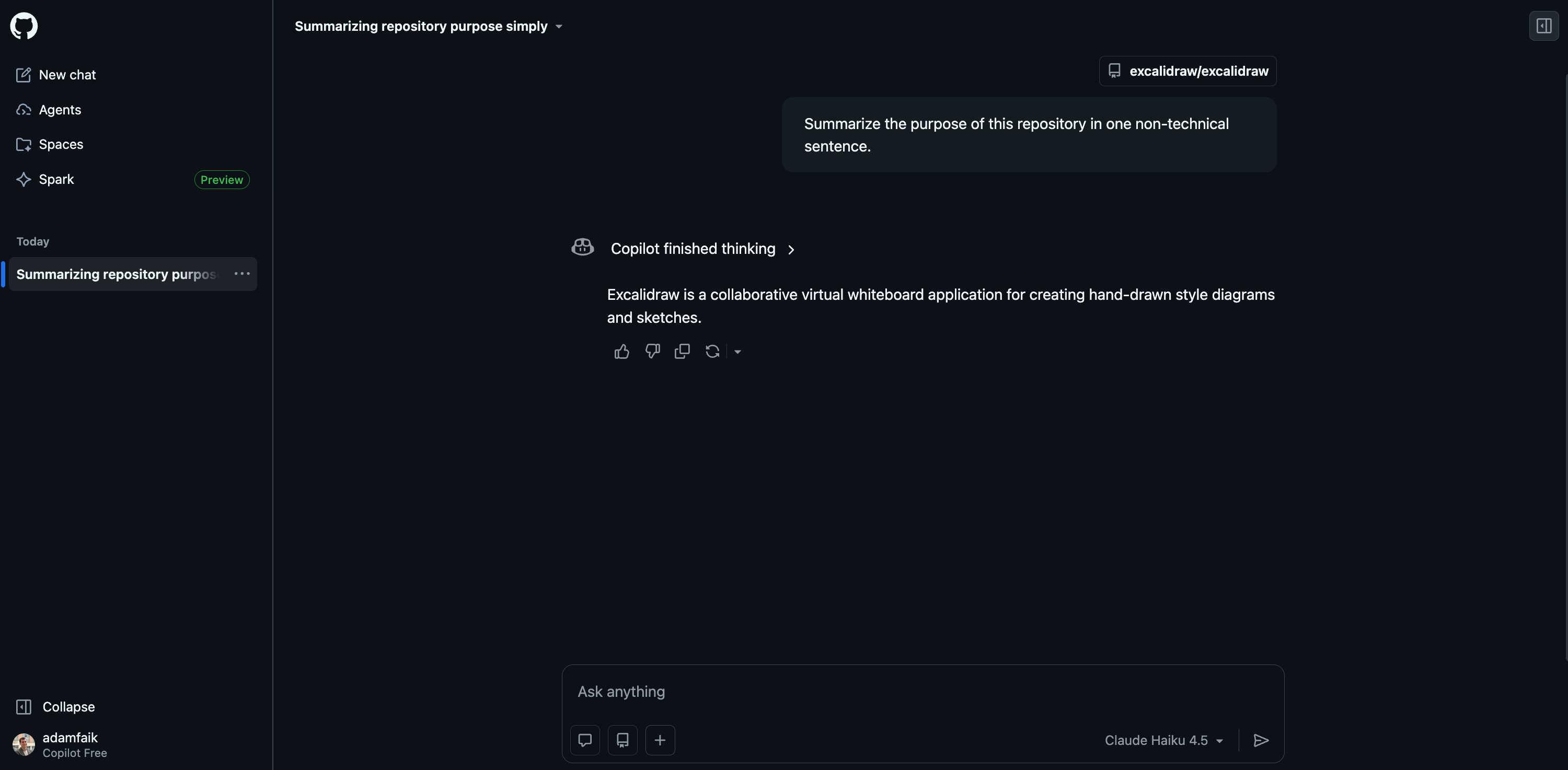
Let’s start with the one you probably already have: GitHub Copilot. It’s integrated directly into the interface, but it’s surprisingly hard to find. You have to click the tiny Copilot icon in the top navigation bar while browsing a repository.
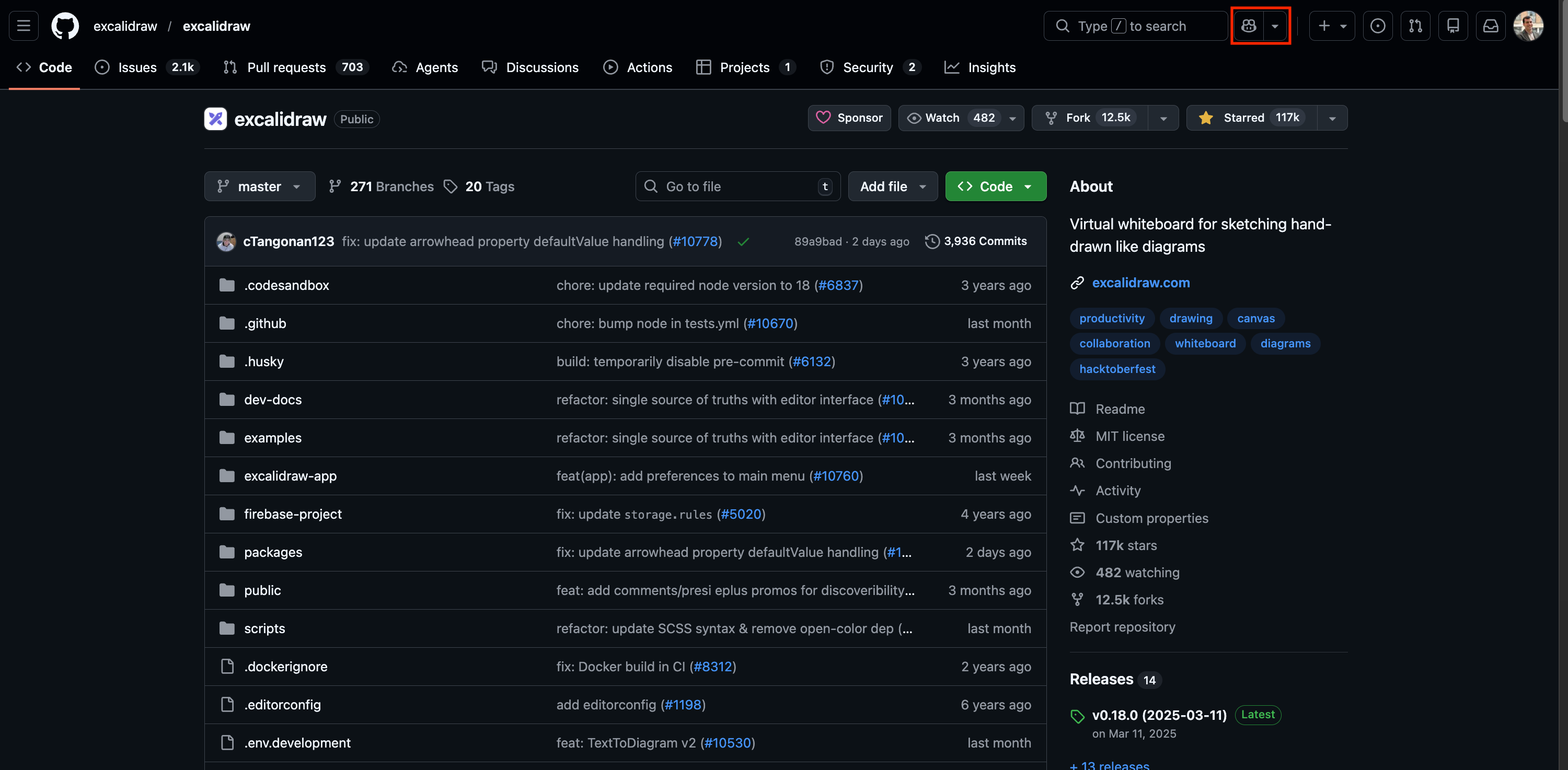
Once open, you can ask the exact same question: “Summarize the purpose of this repository in one non-technical sentence.” It works well, though the quality of the answers often depends on whether you have a Pro plan with access to advanced models.
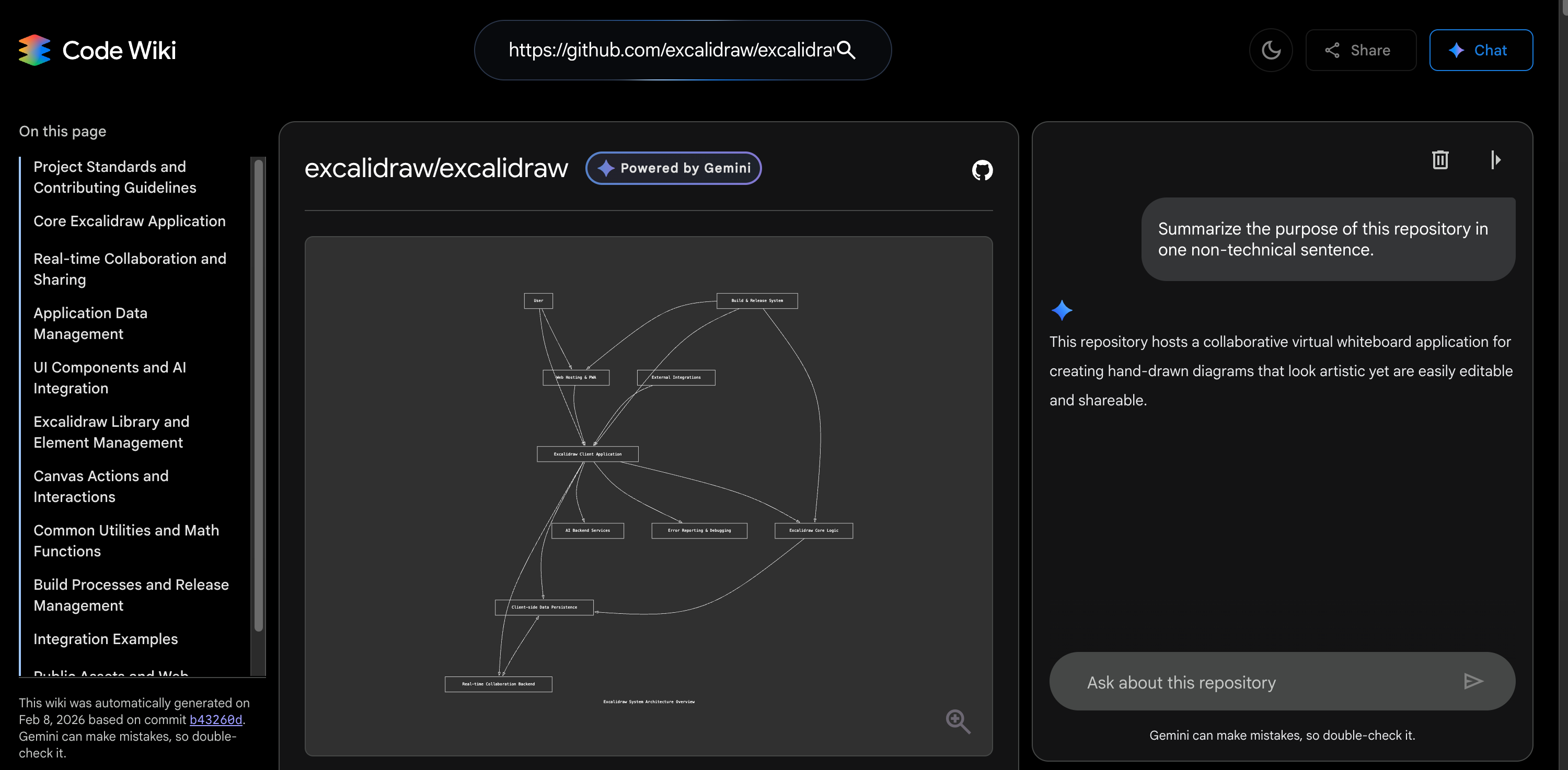
Next, there is Google CodeWiki. This feels like a NotebookLM for code. It transforms a repository into a structured documentation site with diagrams and a chat interface. I tested it with Excalidraw, and the experience is unique. It feels like the answers come from a pre-structured knowledge base rather than just raw code files. The coolest part? It displays videos for some featured repositories. However, there is a catch. The repository must be pre-indexed by their system. You cannot just throw your private personal project at it yet (at least for now).
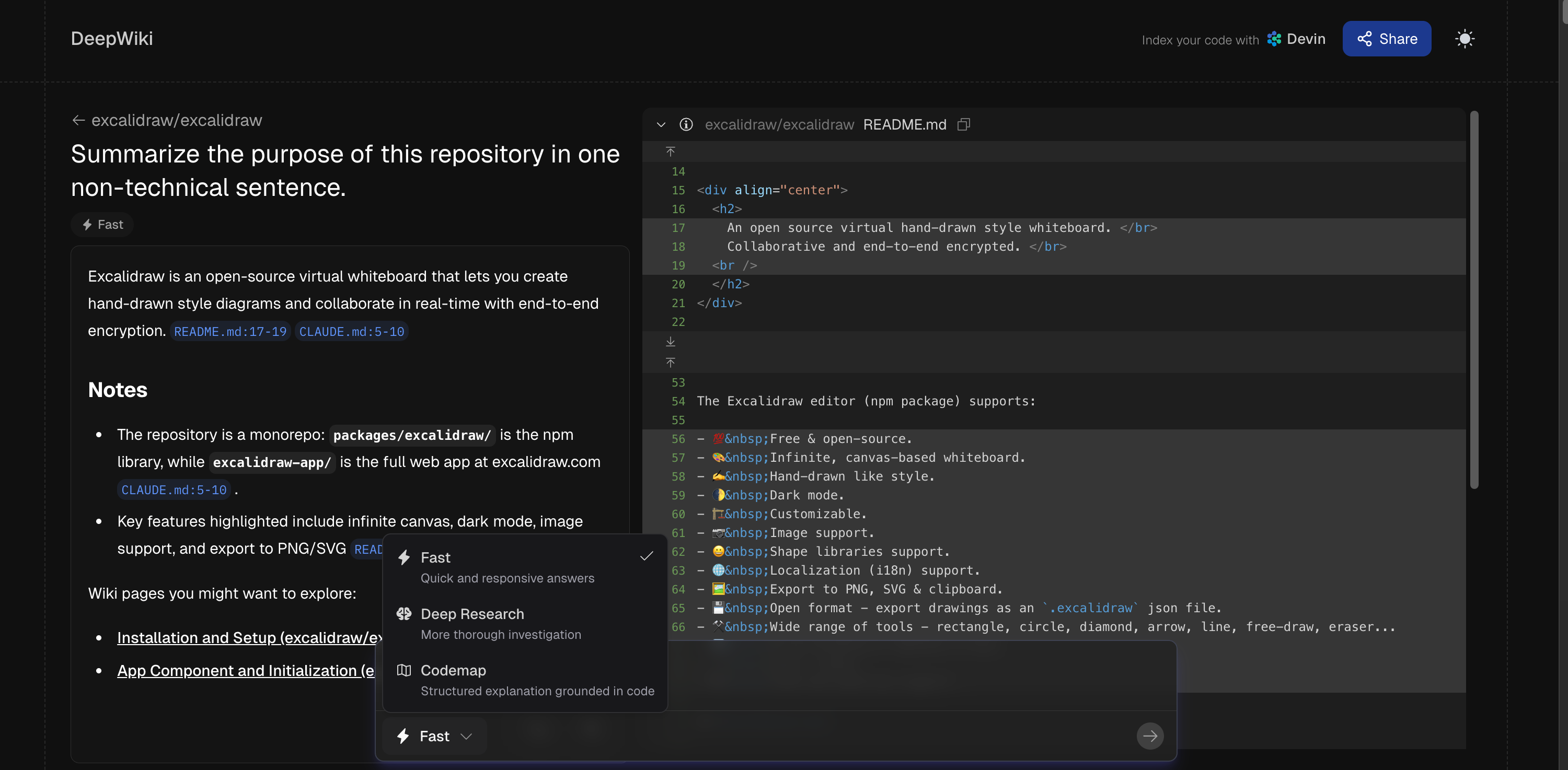
Finally, you should check out DeepWiki. This tool feels much more grounded in the actual code. It offers different modes like “Fast,” “Deep Research” or “Codemap.” When I asked it to summarize the repo, I really liked the interface. The best part is that every answer links directly to the specific code files. You can see the source material in the right-hand panel, which gives you a lot of confidence in the answer.
This space is moving fast. My research turned up plenty of other tools like TalkToGitHub, Greptile, Unblocked, or specialized IDE agents. But the tool doesn’t matter as much as the mindset. Whether you use Gemini, Copilot, or DeepWiki, the goal is the same. Stop staring at the code. Start talking to it.
Interview a repo today
So, here is the truth. You don’t need to learn React or Python to understand how your product works. You just need to know how to ask the right questions. LLMs bridge the gap between product and engineering like never before. It gives you the confidence to navigate technical discussions without feeling lost.
Now, it’s your turn. Don’t just bookmark this article for later. Open a new tab right now.
Pick one of the 5 repositories I shared above.
Paste the URL into Gemini (or your favorite LLM).
Ask 3 questions from the interview guide.
Bonus: Try to install it locally using the cooking recipe method.
I’m really curious to see what you find. Did you manage to run the app? Did you find a surprising business rule? Share your results or your best prompts in the comments below. If you get stuck, just ask, I’ll be there to help.