

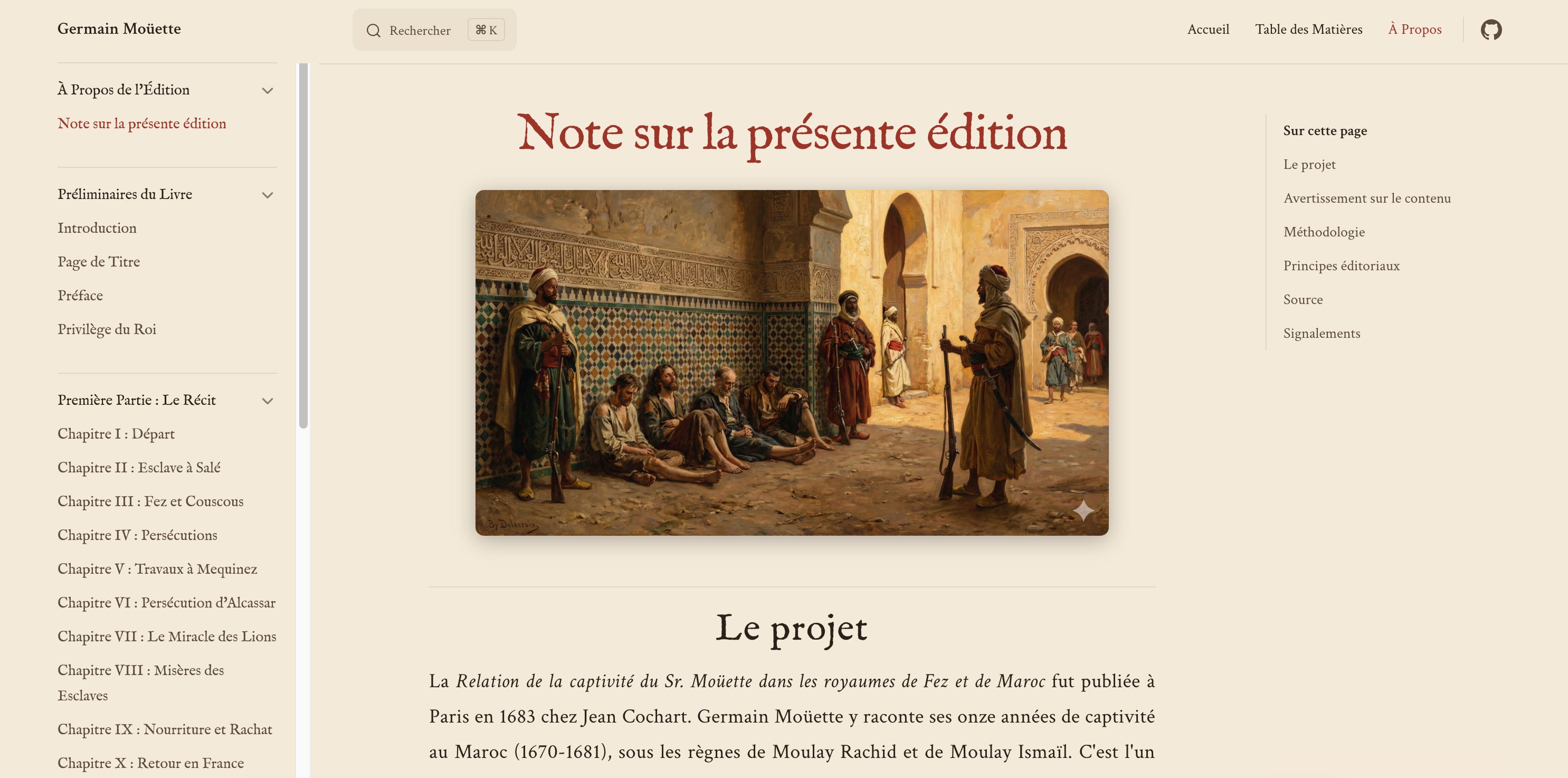
A few weeks ago I published a book online. A French captivity memoir from 1683, modernized and annotated, sitting quietly at adamfaik.github.io/captivite-mouette. You can read it right now, in French, from the first page of the preface to the Arabic-French lexicon at the back. I had told myself I’d finish that book when I retired. I’m still decades away from retirement.
Here’s the part that still surprises me. I didn’t set out to finish it. That afternoon, I was working on something else in Claude Code and it was taking its time on a slow task.
I could have scrolled Instagram. Instead, I opened a second VS Code window, pulled up the repo of that abandoned book project, and started poking around. Just to have something to do while another window was busy.
A few hours later, I had compared twenty-one chapters to the original 1683 source, added about a hundred and forty historical annotations (each one with a cited source), and published the whole thing on GitHub Pages. I had not meant to finish the book. I meant to have something to do while another task was thinking. And the work just... happened.
It’s about the shift in how I work. How I went from thinking of Claude Code as ”that thing engineers use for code” to seeing it as a way to run any project where the same rules have to be applied over and over. Including, apparently, a 17th-century autobiographical memoir and a slice of French-Moroccan history.
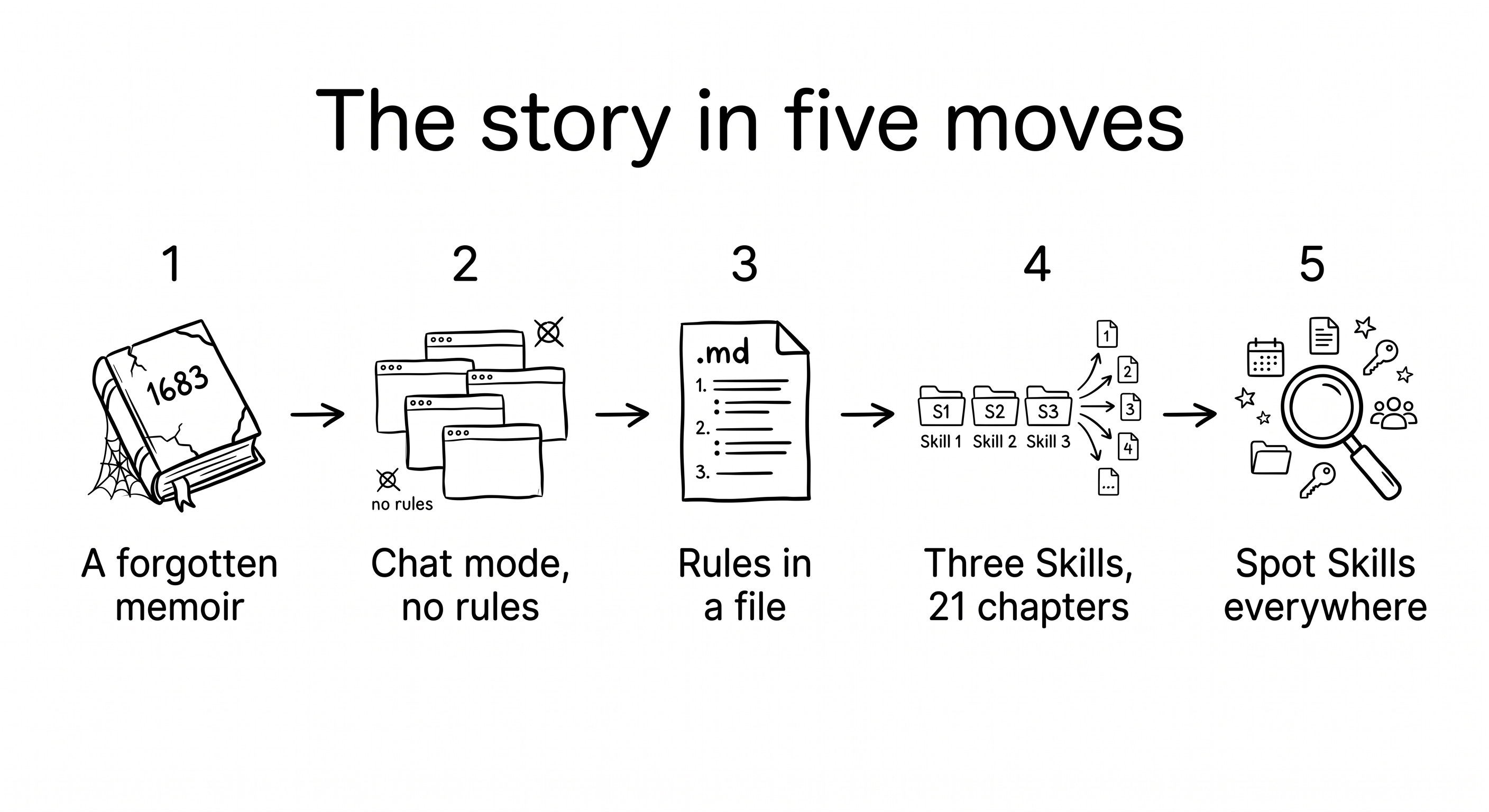
Here’s what the rest of the article covers, in order:
The use case: a forgotten 1683 memoir. The book, what makes it worth a modern edition, and the personal story behind it.
First try: how I used Gemini. The first attempt: what worked, what the tools got right, and why I stopped anyway.
The click: rules in a file, not a chat. The moment the mindset shifted: from re-pasting rules into a chat to encoding them in a file.
How I finished the book: four steps. Ten editorial rules defined in one morning, three Skills built in sequence, twenty-one chapters run in parallel.
Spot skills in every project. The three-question test and how the same shape shows up in any product week.
Let’s open the book.
The use case: a forgotten 1683 memoir
I found it on archive.org one evening when I was bored and typed ”livre du Maroc” into the search bar. A pretty chaotic way to stumble on a book. The title that came back stopped me cold: Relation de la Captivité du Sieur Moüette dans les Royaumes de Fez et de Maroc.
A Frenchman. Eleven years held captive in Morocco under Moulay Ismaïl. Published in 1683. I’ve always been drawn to the history of both countries, and a first-person 17th-century memoir from someone who lived both is not a book you scroll past. I downloaded it instantly.
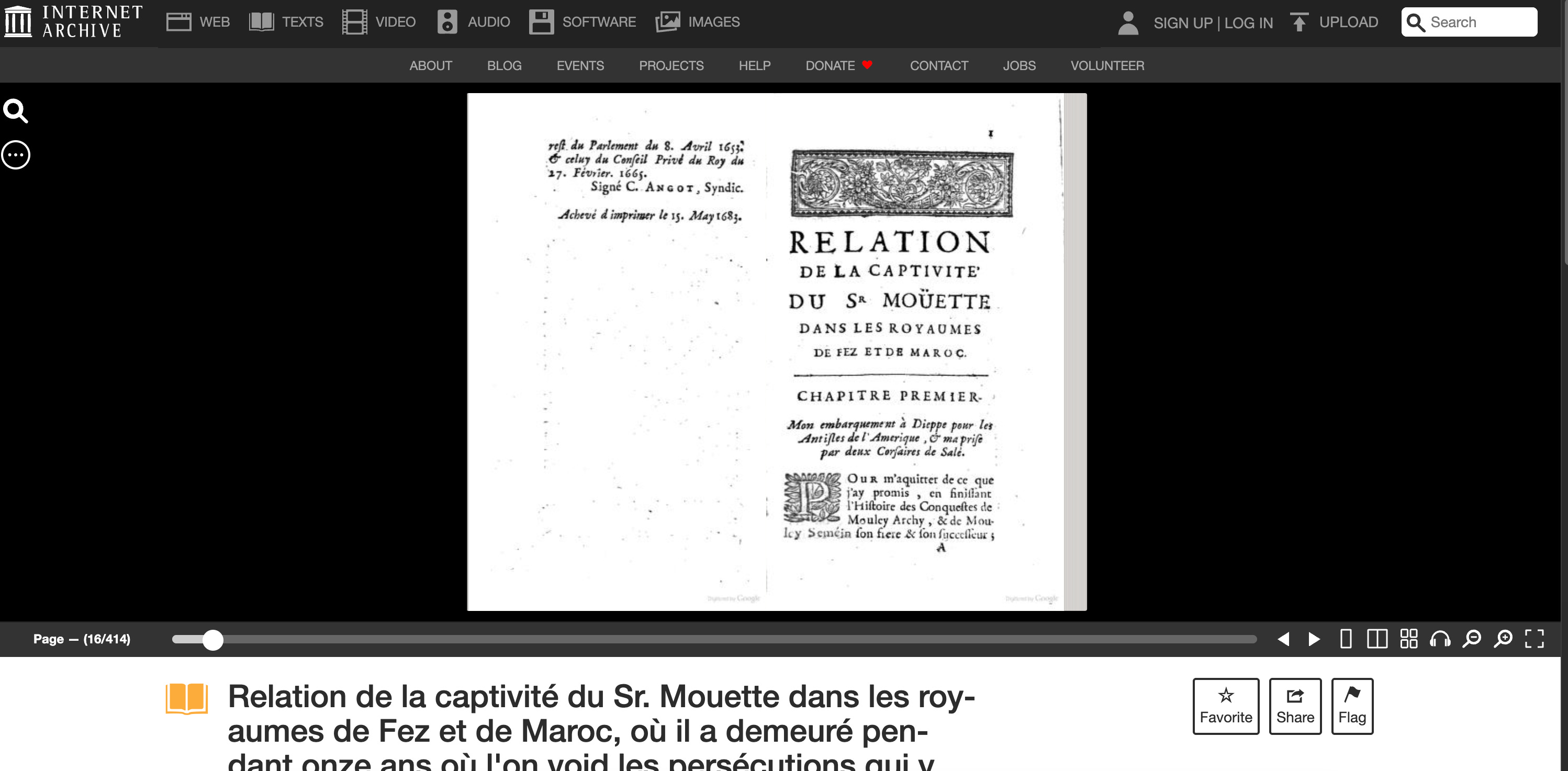
The first page was almost unreadable. Not just old French. Pre-1800 French, with the long-s (ſ) instead of s, and spellings and abbreviations that make your eyes bounce off the page after two sentences. I gave up after three pages.
A week later I tried again, and something strange happened. By the end of chapter one I was reading it almost normally. Your brain does an involuntary translation once you’ve seen enough of the pattern. It’s a little like those well-known scrambled-letter paragraphs where the first and last letters are right and everything in the middle is a mess. Same phenomenon, slower setup.
I finished the book over a long weekend. Two things hit me.
The first was the modernity of it. Moüette is talking, in 1683, about things that still feel recognizable in 2026. The politics of North Africa. The economics of trans-Mediterranean trade. The porous borders of belief and identity. The names change. The shape of the conversations doesn’t. That’s the part you never get from a history textbook. Read through someone’s lived experience and the whole period comes alive from the inside. You don’t learn about the 17th century. You sit next to someone who lived it.
The second was that Moüette is a weirder narrator than you’d expect. He was taken captive in the 1670s and then decided, somewhere along the way, to treat his captivity as fieldwork. He saw himself as an observer. He believed France and Morocco were eventually going to have to figure out how to talk to each other, and he wanted to come back with something useful for that conversation. A kind of self-appointed diplomat, writing notes in chains. That’s a strange posture to hold, and it’s the reason the book is as good as it is.
And then there’s the personal layer, which is the part I almost kept to myself. I grew up in Morocco. I moved to France to study and then to work. Moüette did the reverse trip, involuntarily, in 1670. I’m not going to overstate the parallel (I’m not, to be clear, a captive in France, thank you for asking), but reading his memoir felt like meeting someone who made my exact trajectory 350 years earlier, in the opposite direction. That’s why the book kept tugging at me months after I’d finished it.
Here’s what I started thinking. A book like this deserves more than a scan sitting quietly on archive.org, smelling of basement. A modernized French edition is the minimum. Past that, it deserves a bande dessinée, a Netflix series, and honestly a Scorsese film, but I’m willing to negotiate. It’s a tight, weird, human account of a period most of us only ever learn in abstractions.
I checked Amazon. Nobody had made a modern edition. If the book was going to get one, I was going to have to do it myself.
First try: how I used Gemini
First attempt: chapters one by one
My first attempt was months earlier, and it was all done in Gemini. I’d open the PDF, copy a page, paste it into the chat, and ask for a modern French transcription. Genuinely, I did not expect this to work.
The first time it did, I was a little stunned. Even with archaic spellings and garbled OCR in the source, Gemini came back with readable, well-formed paragraphs. I kept going, chapter by chapter, pushing several pages at a time thanks to the big context window.
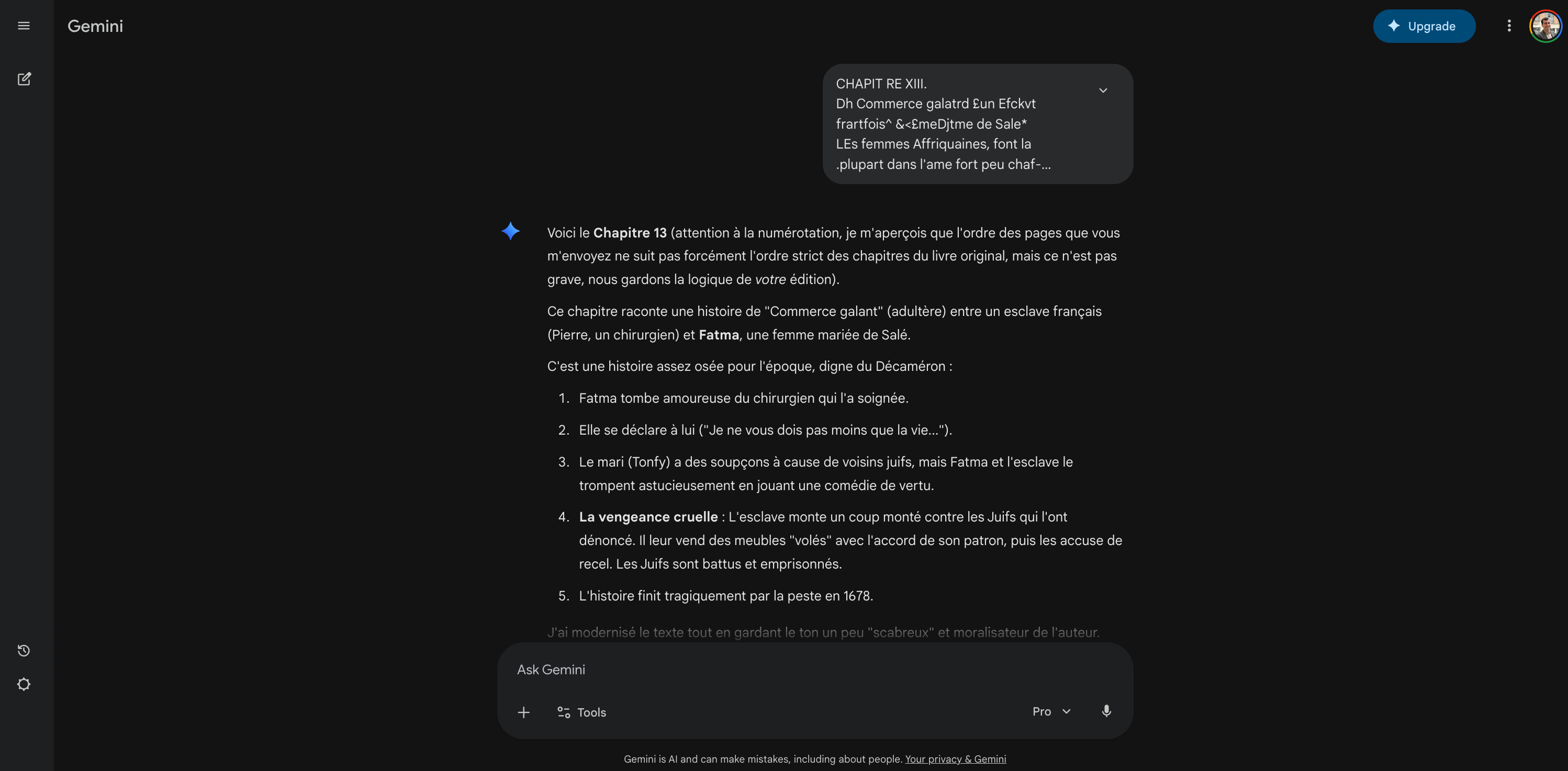
The result was a working first pass. Chapter by chapter, Gemini turned the archaic French into readable modern French, formatted as markdown. Each chapter came out as a structured file: headings, paragraphs, footnote markers in place.
Not perfect. There were omissions and meaning drifts I’d only discover much later. But it was a genuine starting point. A folder of modernized text, ready to become a book.
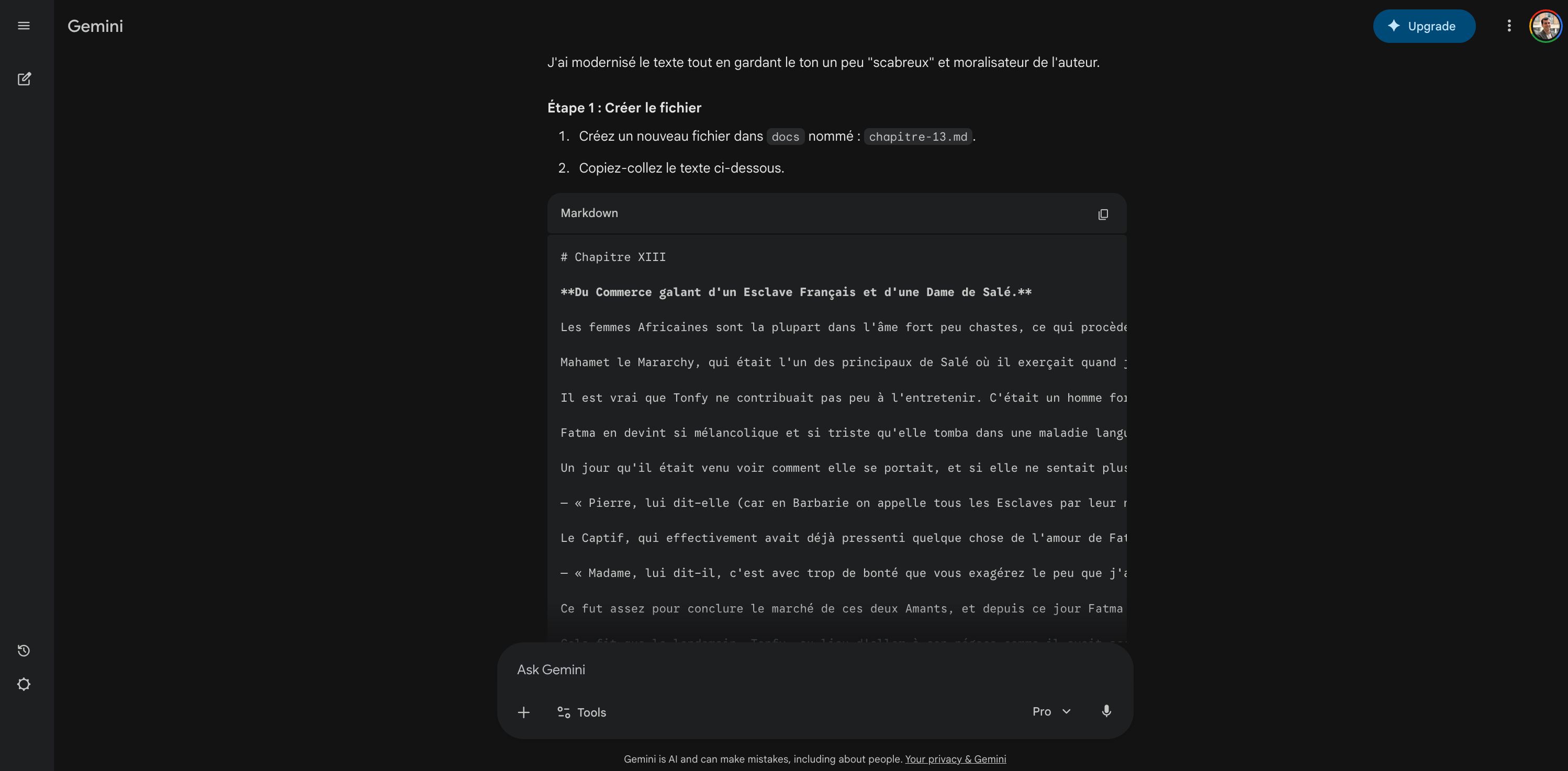
The most fun part was the Arabic lexicon at the end of the book. Moüette had included a small French / dialectal-Arabic dictionary. Not classical Arabic. Street Arabic from 17th-century Morocco. Running it through Gemini, I realized a lot of those words are still used in Moroccan darija today. A tiny time capsule of spoken language that survived 350 years.
I want to be honest about what I was actually doing here. I wasn’t using Gemini because it’s ”the right tool for OCR.” I was using Gemini because it was the AI I knew, and chat was the only mode I knew how to work in.
Open a tab. Write a prompt. Hope the model keeps the context. Paste a page. Paste another page. Thank the gods for the big context window. Everything I built in this phase, I built in chat mode. One long conversation per chapter. Rules re-explained in each new tab. No memory between sessions.
That worked. But it hit a ceiling I couldn’t see from inside it. Picture the whole project being held together by three hundred Gemini tabs in my favorites bar and my own willingness to keep pasting the same block of instructions into each new one.
Use a standard tool, not custom code
When I eventually asked Gemini how to publish the book as a website, I expected ”let’s build a small React app.” Instead, Gemini pointed me at VitePress, a static-site framework that turns markdown files into a clean, navigable, book-shaped site. I’d never heard of VitePress. I also hadn’t asked. I was about to ask the model to build me something custom, and it quietly told me there was a standard tool for this job.
That’s the lesson I keep coming back to. Before you ask an AI to vibe-code a custom thing, ask it the opposite question first:
Is there a standard framework, library, or tool that already does this? If there is, use it.
Most of the time, the answer is yes. A few examples I’ve hit since:
For a book or documentation site, VitePress or Docusaurus.
For a quick internal data dashboard, Streamlit.
For a training or course site, Docusaurus or MkDocs.
For presentation slides generated from a structured document: Marp (markdown → slides), Beamer (LaTeX → slides), or a small Python script with
python-pptxif you need a programmatic PowerPoint.
Off-the-shelf tools are boring. They’re also well-tested, documented, styled by people who actually care about typography, and usually fifteen minutes of setup. Custom code is seductive because the model will happily generate three hundred lines of it. Resist for a second. Ask the ”is there something standard?” question. Often the answer saves you from a pile of maintenance you don’t want.
The site build: six steps with Gemini
Once VitePress was on the table, I asked Gemini to walk me through it. Nothing magical happened here, but the process might be useful if you’ve never set up a static-site project before.
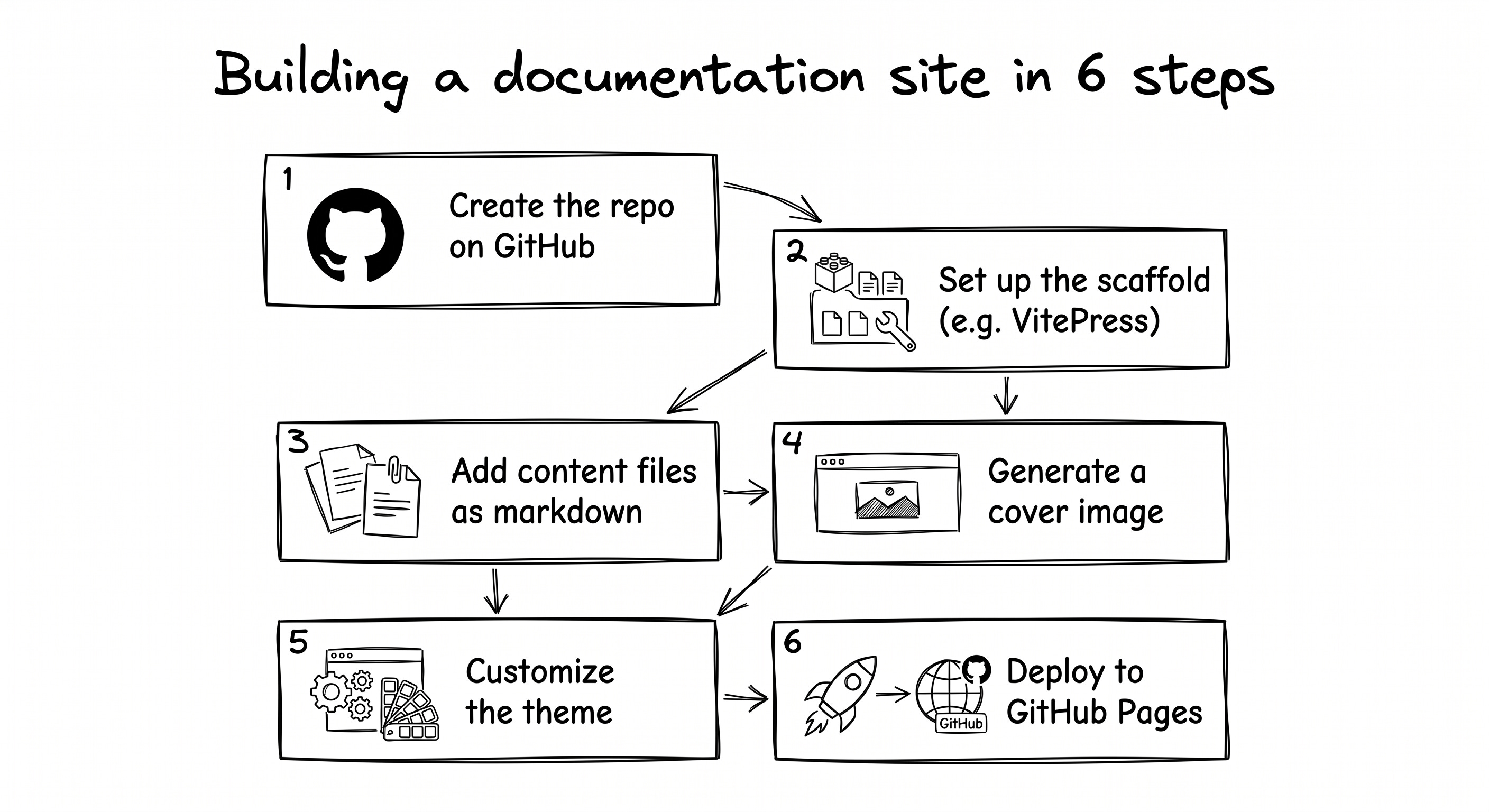
Roughly how I did it:
Created a new empty repo on GitHub for the book project. No git-clone terminal dance. I made the repo on github.com directly, added a README from the web interface, then downloaded the repo as a ZIP when I needed the files locally.
Followed VitePress’s official setup instructions with Gemini narrating them in plain French as we went. The scaffold gives you a configuration file, a home page, and a
docs/folder where your markdown chapters live. Same idea as a Word document with a table of contents, except each chapter is its own small file.Created one markdown file per chapter, calmly, one at a time, pasting in the modernized French that Gemini had produced during the earlier chat sessions. Files named
preface.md,chapitre-1.md,chapitre-2.md, and so on.Asked Gemini to generate a cover image for the modern edition. Something with period typography and a hint of 17th-century North Africa. It produced something decent on the second try. That became the book’s homepage art.
Asked Gemini to help adjust the VitePress theme so the site felt closer to the book’s period. Historical serif fonts that are still readable on screen. A slightly warmer palette than the default. A navigation sidebar with the chapters in order. I described the mood (”old paper, candle light, but readable on a 2024 laptop”) and Gemini produced a CSS file that matched it reasonably well.
Deployed to GitHub Pages, again with Gemini’s instructions, which is where I hit a small hiccup. GitHub Pages will happily render your README as the homepage by default, not your VitePress build. You have to flip a setting in the repo’s Pages tab to tell it to use a GitHub Actions workflow instead. Fifteen minutes, not fifteen seconds, but once flipped it stayed flipped.
By the end of an afternoon, I had a private, working, scrolling book-shaped site. A third of the chapters modernized. A cover image. A period-appropriate theme. A deploy pipeline. Not published publicly, but running.
The stall: out of time and no plan
And then, for a few reasons, I stopped.
The first reason was the content itself. Moüette is a 17th-century Catholic writing about people he considers his enemies, and the vocabulary shows it. I didn’t want to push something into the world without knowing how to handle the parts that would land badly.
The second reason is more boring. I ran out of time and momentum. I had a decent VitePress scaffolding, a cover, maybe a third of the chapters done, and no clear path to the finish line.
The twenty pieces left to modernize and review felt like a lot of evening hours, and not one of them felt especially fun. I told myself I’d come back to it when I retired. Then I closed the tab.
It sat there for months.
Looking back, stopping was the right call. If I’d kept grinding through chapter-by-chapter pastes in Gemini, I’d have spent weeks on something that eventually took an afternoon. The problem wasn’t the effort. It was the shape of work. I didn’t even know skills were a thing.
Leaving the project in a drawer meant I came back to it after I’d understood something new. Put it down. Let your understanding catch up. Then open it again.
The click: rules in a file, not a chat
Back to the afternoon. Second VS Code window open, abandoned repo loaded, I typed a request. Something like: ”can you compare this modernized chapter to the original 1683 source and tell me what went wrong?” Claude Code read both files, thought for a minute, and came back with a list of differences. Missing paragraphs. Odd word choices. A few proper nouns spelled three different ways across the chapter.
That alone was useful. But while I was reading the output, a smaller thought hit me: I’m going to want to do this exact thing on the next chapter. And the one after that. With the same rules.
In Gemini, that would have meant opening a new chat, re-pasting the rules, re-explaining the context, every time. I have a folder of three hundred bookmarked Gemini conversations that exists exactly so I can find the rules I wrote down somewhere and paste them into the new chat. That’s a lot of effort for something that’s really just saying ”apply these rules.”
What Claude Code let me do instead was create a file. A small markdown file, in a folder called .claude/skills/, with a name and a short description and the rules written out. Once that file existed, I could type /review-chapter chapitre-2 and Claude Code would just... apply the rules. No re-pasting. No re-explaining. The same behavior every time.
The difference isn’t the AI. It’s the container. A rule typed into a chat window lives exactly as long as that chat window is open. A rule written into a file outlives the conversation. It travels with the repo. It applies the same way next month as it does today.
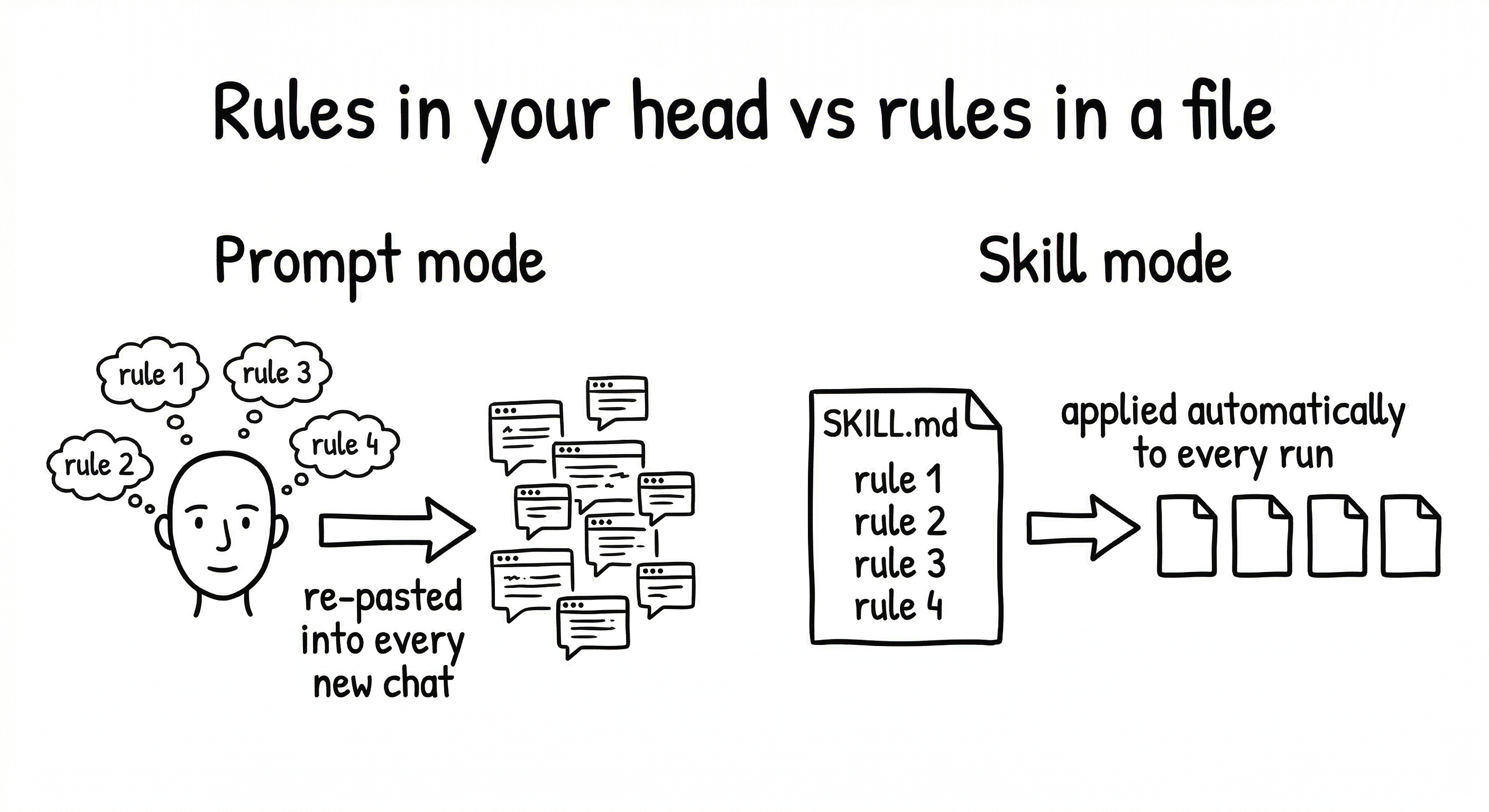
That was the click. I wasn’t writing a prompt anymore. I was writing a rule. The rule lived in a file. The file lived in the repo. Next week, next month, next year, the rule would still be there, applying itself consistently to whatever chapter I pointed it at.
That’s the thesis of this article, and I’ll say it plainly: any project you’d run on a whiteboard can be run in a repo. Not just code. Any project where the same rules have to get applied to multiple inputs. A book. A stack of stakeholder updates. A folder of user-interview transcripts. A weekly research synthesis. If you’ve ever pasted the same block of context into a fresh chat window twice, you’ve hit the shape of work that Skills solve.
How I finished the book: four steps
Once the mindset shifted, everything else followed in sequence. Four steps, each one unlocking the next.
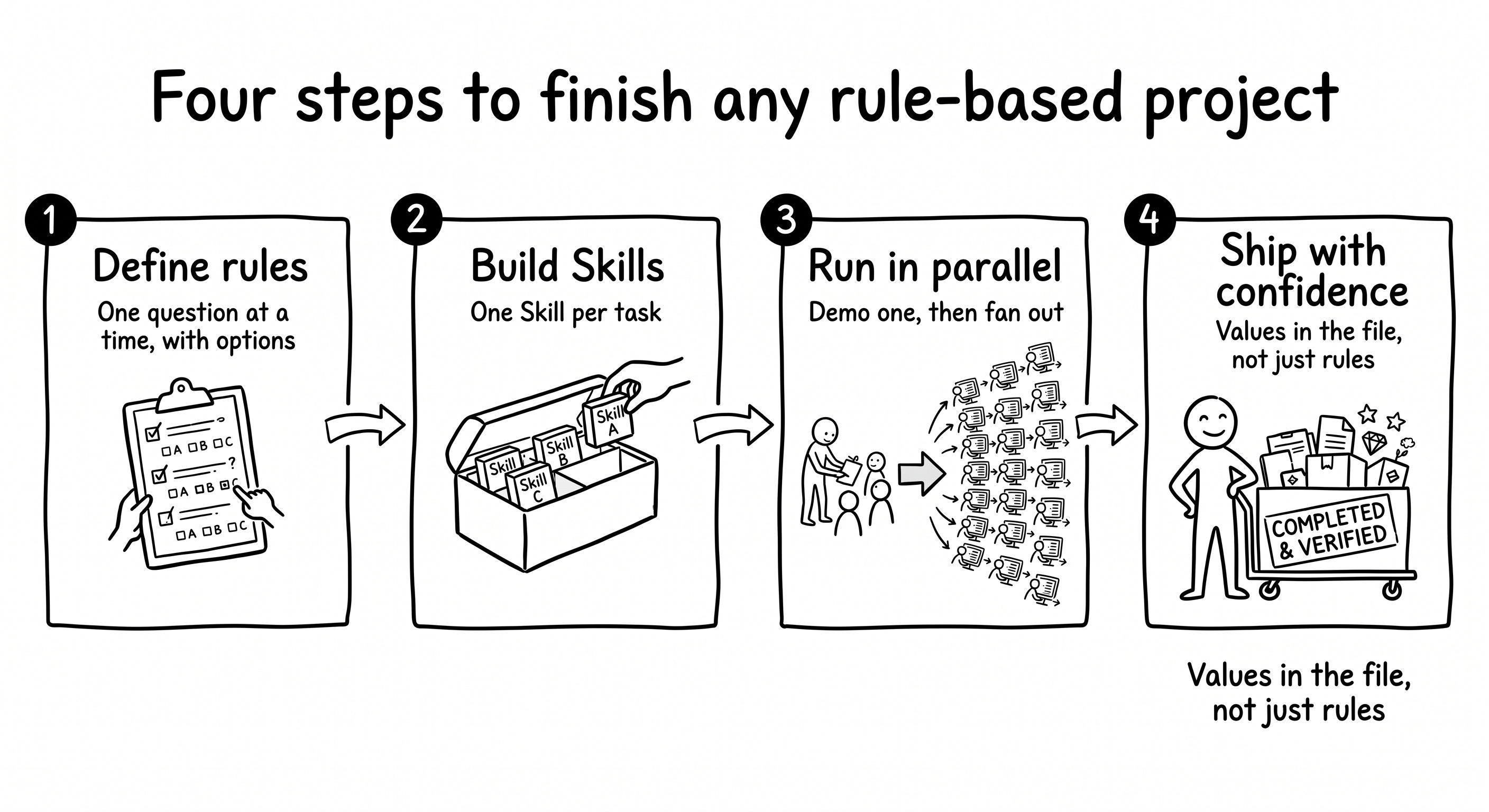
Define your rules once
Before writing any Skill, I needed to know what the rules actually were. I had a vague sense of what the modernization should feel like: preserve Moüette’s voice, handle the old typography, keep the unusual words where they belonged. A feeling isn’t a rule, and a rule you can’t write down in one sentence can’t live in a skill file.
So Claude Code and I spent a morning doing something very simple. One question at a time, with options.
A typical exchange looked like this:
Claude Code: For the author’s voice, which of these three feels right?
(A) Keep the original phrasing exactly, even when archaic.
(B) Allow light rephrasing for clarity, but preserve personal interjections and hedging.
(C) Modernize fully for readability, voice can drift.Me: B. If he says ”je ne sais combien de déserts”, that stays. It never becomes ”de nombreux déserts”.
Claude Code: Got it. Locking that as rule #1: voice preservation, light rephrasing allowed, personal interjections and hedges always kept.
That’s the pattern. One question, 2–3 concrete options, pick one, lock it. Repeat until you have a list.
Try it the opposite way and you’ll freeze. I know this because I’ve frozen. ”What are your editorial rules?” is an impossible question. ”Given this paragraph, would you prefer A, B, or C?” is a simple question. Options force judgment. Judgment produces rules.
By the end of the morning, I had ten. Three of them took real back-and-forth.
Voice preservation was first. The reason it took ten minutes, not two, is the example I had to nail down: ”je ne sais combien de déserts” can’t become ”de nombreux déserts.” That hedged, slightly shy way of describing an overwhelming thing is who Moüette is as a narrator. Smooth it out and you lose the person.
Handling omissions. Gemini’s first pass had quietly left some paragraphs out. The question: reintegrate them silently (A), add editorial brackets to signal they’d been restored (B), or leave the gaps and note them in a footnote (C). I picked A. Moüette wrote those paragraphs. They belong in the text. An editorial bracket interrupts the reading experience with a scholarship signal most readers didn’t ask for.
Sensitive terminology was the uncomfortable one. Moüette uses vocabulary that a 17th-century French Catholic writing about his captors would use. Options: modernize the terms (A), keep them exactly as written and contextualize via annotations (B), or remove the worst instances (C). I picked B. Changing the vocabulary would be changing the historical record. The annotations explain without excusing. I’ll come back to how this made it possible to ship.
The other seven took much less time. Some were thirty seconds: footnote format was just ”which syntax does VitePress support?” Done.
Once the ten rules existed, I saved them in three places. Inside project memory (so Claude Code would always see them). Embedded inside each skill (so the skill carried the rules with it). And in a reader-facing editorial note on the published site (so anyone reading the book could see exactly what was done to the text). Three homes for the same rules. Each one earning its place.
The three skills: review, apply, enrich
I didn’t start by designing three Skills. I started by needing one answer: “what’s actually wrong with what Gemini produced?”
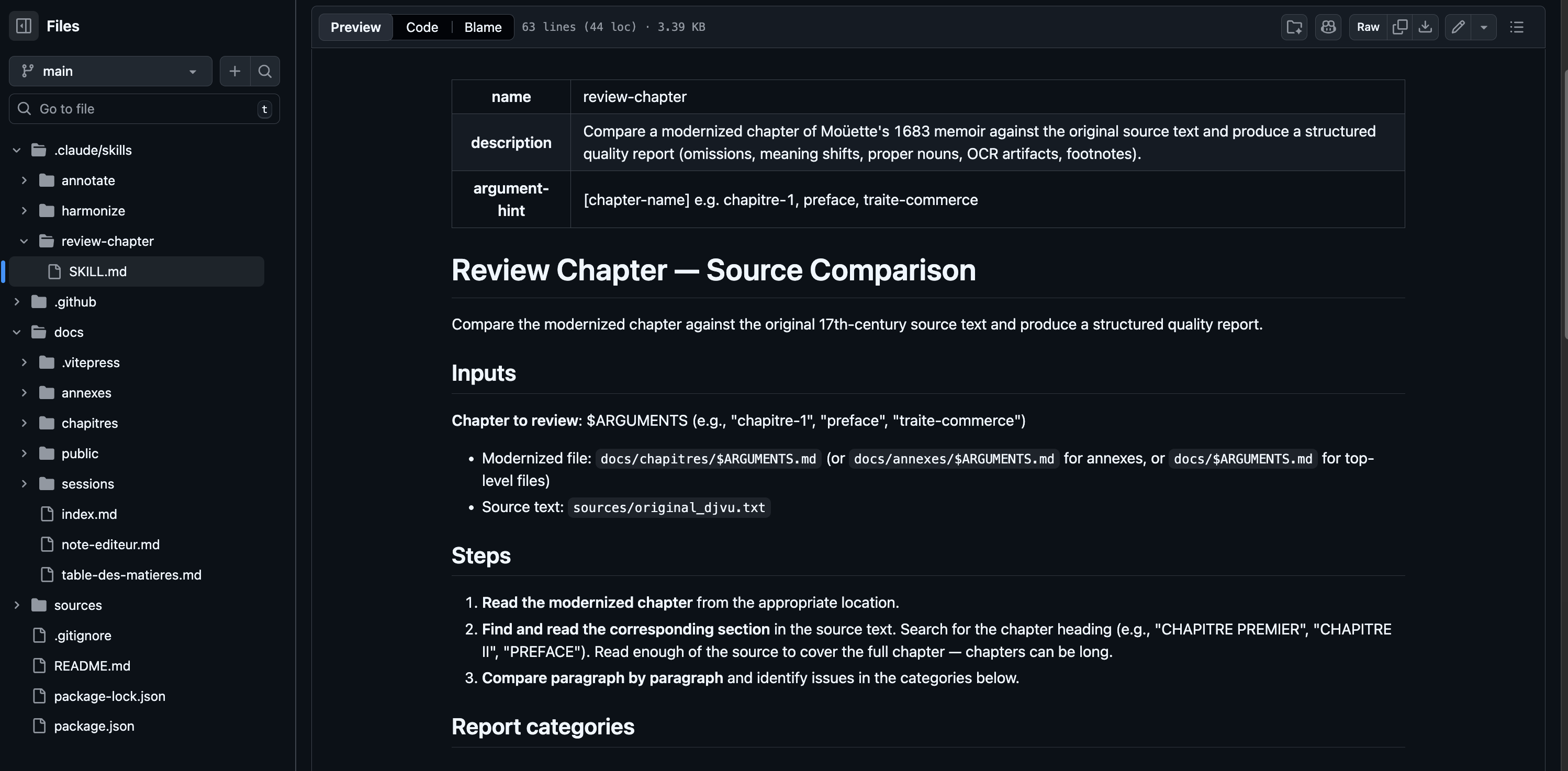
The first skill I built was review-chapter. I described what I wanted: read a modernized chapter, read the corresponding section of the 1683 source, compare paragraph by paragraph, flag every problem. Then I wrote the skill.
I ran it on the preface. The output was immediately useful and immediately humbling. Twelve instances where Moüette’s personal voice had been smoothed away. The exact sentence I’d noticed (”je ne sais combien de déserts” quietly rewritten as ”de nombreux déserts”) was flagged, with the source passage and a suggested fix.
I ran it on chapter 1. Same categories: omissions, meaning shifts, OCR artifacts, proper nouns spelled inconsistently. I had a diagnosis.
What I didn’t have was a way to fix all of it consistently. And that’s when the connection clicked. I had just spent a morning writing ten editorial rules. Those rules were sitting in project memory. ”I have a set of rules I want applied to every chapter. That’s exactly what a Skill is for.” So the second skill wrote itself out of the first. That became harmonize.
Running both skills across all the chapters left me with a clean text. But clean doesn’t mean alive. A modern reader hitting Moüette’s offhand mentions of ”les corsaires de Bouregreg” or ”les Marabouts” or ”la milice des Renégats” gets nothing: no frame, no context, no reason to care. So a third conversation started: ”what if we added a short sourced annotation at the end of each chapter?” That conversation produced annotate.
Three skills, each one discovered by using the previous one (browse in the GitHub repo).
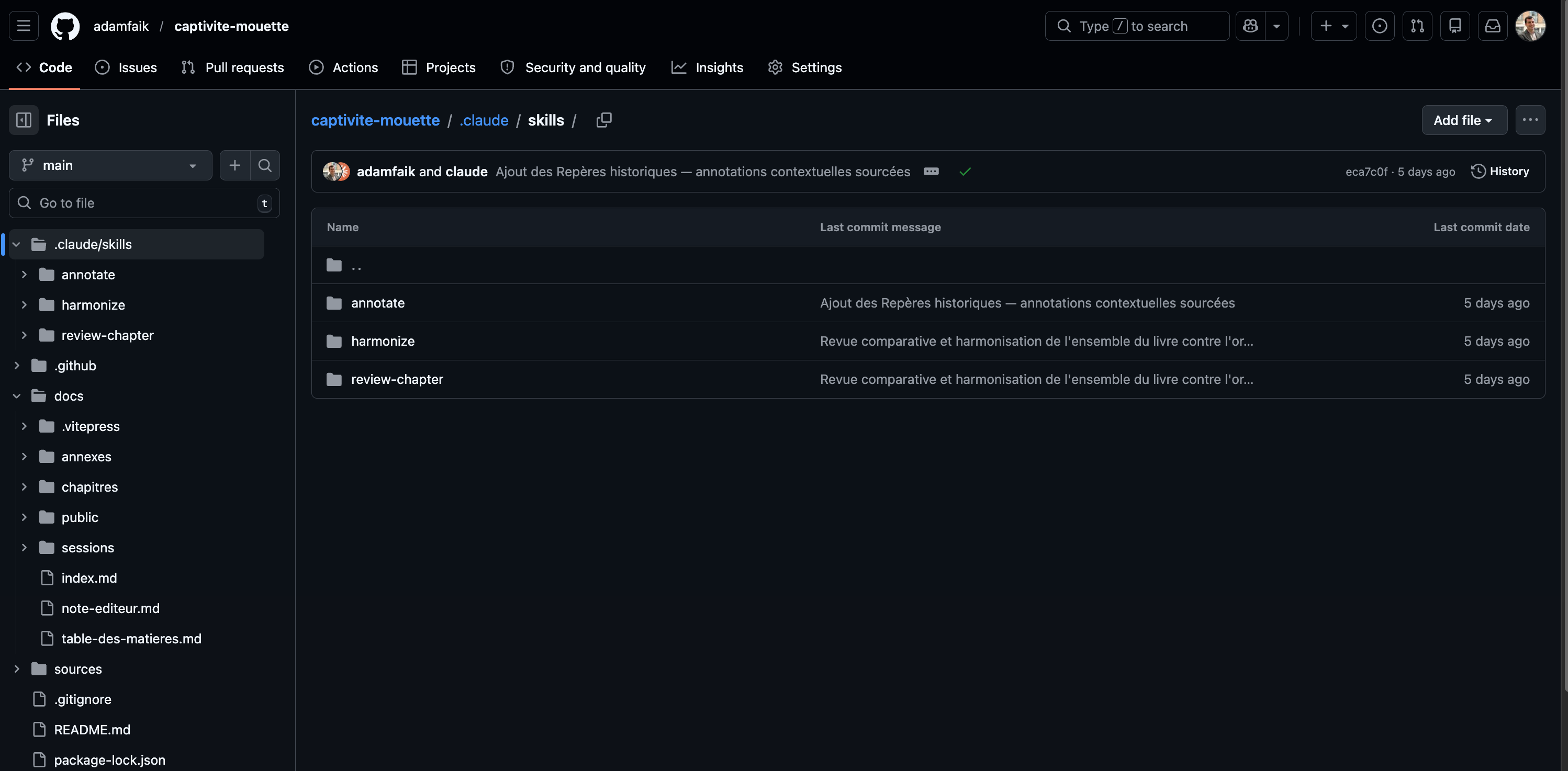
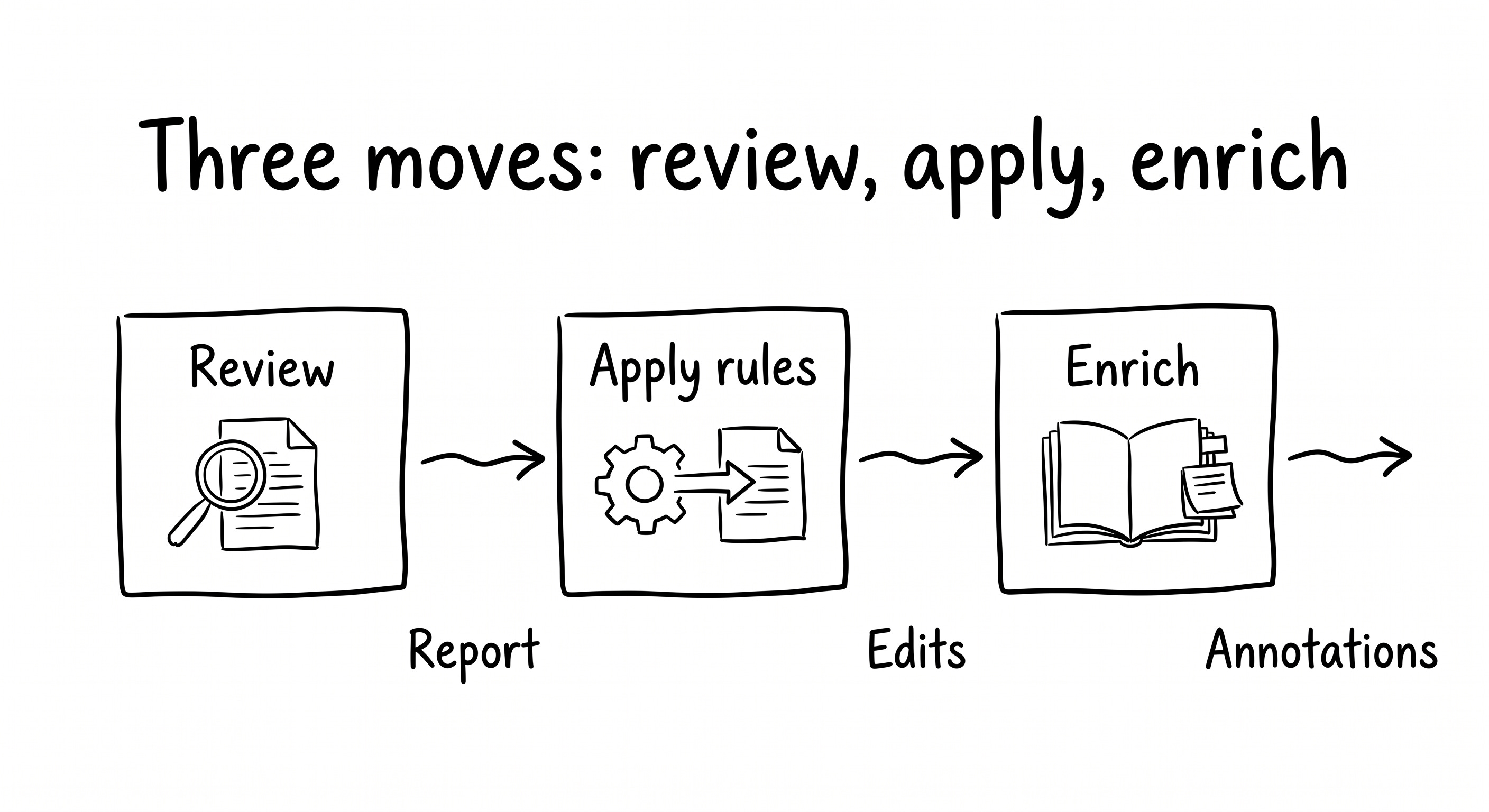
Here’s what each one actually does:
review-chapter: the diagnostic. Reads the modernized chapter, reads the corresponding section of the 1683 source, compares paragraph by paragraph. Produces a structured report across eight categories (A–H): omissions, meaning shifts, unauthorized additions, proper-noun inconsistencies, modernization inconsistencies, OCR artifacts, paragraph structure, footnote candidates. Each issue gets a location, a quoted source passage, a problem statement, and a suggested fix. The report ends with an overall grade: Good / Needs minor fixes / Needs significant rework. Read the full SKILL.md here.harmonize: the rules-applier. Applies all ten editorial rules using the edit tool to touch only what needs touching, never rewriting the whole file. Voice preservation, silent reintegration of omissions, proper-noun normalization, footnote discipline, paragraph-structure rules, sensitive-vocabulary preservation. All embedded in the skill itself. When I run/harmonize chapitre-7, it doesn’t just “modernize” the chapter. It applies the whole editorial policy. Read it here.annotate: the one with the strictest rule. Appends a ”Repères historiques” section to each chapter with five to ten contextual notes. Each note: a brief quote from the chapter, a 3-6 sentence explanation, a cited source. Every factual claim must be verified via WebSearch before it’s written. No exceptions. If the model can’t verify something, the note either gets dropped or explicitly marked as uncertain. Academic sources preferred. The tone target is ”a knowledgeable friend, not a textbook.” Read it here.
The run: 21 chapters in parallel
Once the three Skills existed, I had to run them across the whole book. That’s 21 files: the preface, the royal privilège, fifteen chapters, a commerce treaty, the Arabic lexicon, a geography annex. I could have run them one at a time. I didn’t.
I did the first chapter in full. Ran /review-chapter chapitre-1, read the report, ran /harmonize chapitre-1, read the diff, ran /annotate chapitre-1, read the annotations. Then I stopped and asked myself a simple question: does this look right? It did. Then I fanned out. Claude Code launched sub-agents (parallel workers, up to eleven at a time for the annotation pass) and pointed each one at a different chapter.
The pattern is worth naming, because it stops you from blowing up a whole project on a flawed first run:
Demo one. Approve it. Then fan out.
The run itself was genuinely fast. Minutes, not hours. Here are the numbers across all 21 files:
412 insertions, 253 deletions committed across 22 files
~70 footnotes added
~140 sourced historical annotations written
Up to 11 concurrent sub-agents during the annotation pass, 6 during review/harmonize
I want to be honest about the timeline. The ”I finished it in under an hour” line was the felt experience, not the actual clock.
The run took minutes. The work took two days. That morning spent defining rules. An afternoon fixing a few mistakes. Another morning reviewing annotations, rewriting the editorial note, and publishing the site.
Skills aren’t magic. They’re leverage. The run is fast because the rules are sharp. The rules take a morning.
What the annotations surfaced is the part I keep bragging about at dinners. The Republic of Bouregreg, a corsair city-state that existed between 1627 and 1668. Barbary lions, which roamed North Africa until they went extinct in the wild in 1942.
The fleurs de lys carved by French slaves into the walls of Moulay Ismaïl’s palace at Meknes. The Order of the Merci’s “blood vow”, a fourth monastic vow to offer oneself as a replacement for a captive who couldn’t be ransomed. I knew none of this before the annotate skill found it and sourced it. The annotations made the book twice as alive.
What made it shippable: values in the skill
One of the reasons the book had sat in a private repo for months was the content itself. Some passages are genuinely uncomfortable by today’s standards. I wasn’t sure I wanted my name on a site hosting that content without some kind of frame.
The annotate skill gave me the frame. Its job on those passages wasn’t to censor them or smooth them over. It was to contextualize them. Sourced notes. Historical framing. Scholarly context that helps a modern reader understand what they’re looking at and why it’s there. The content warning on the homepage tells readers what they’re walking into before they open the first chapter.
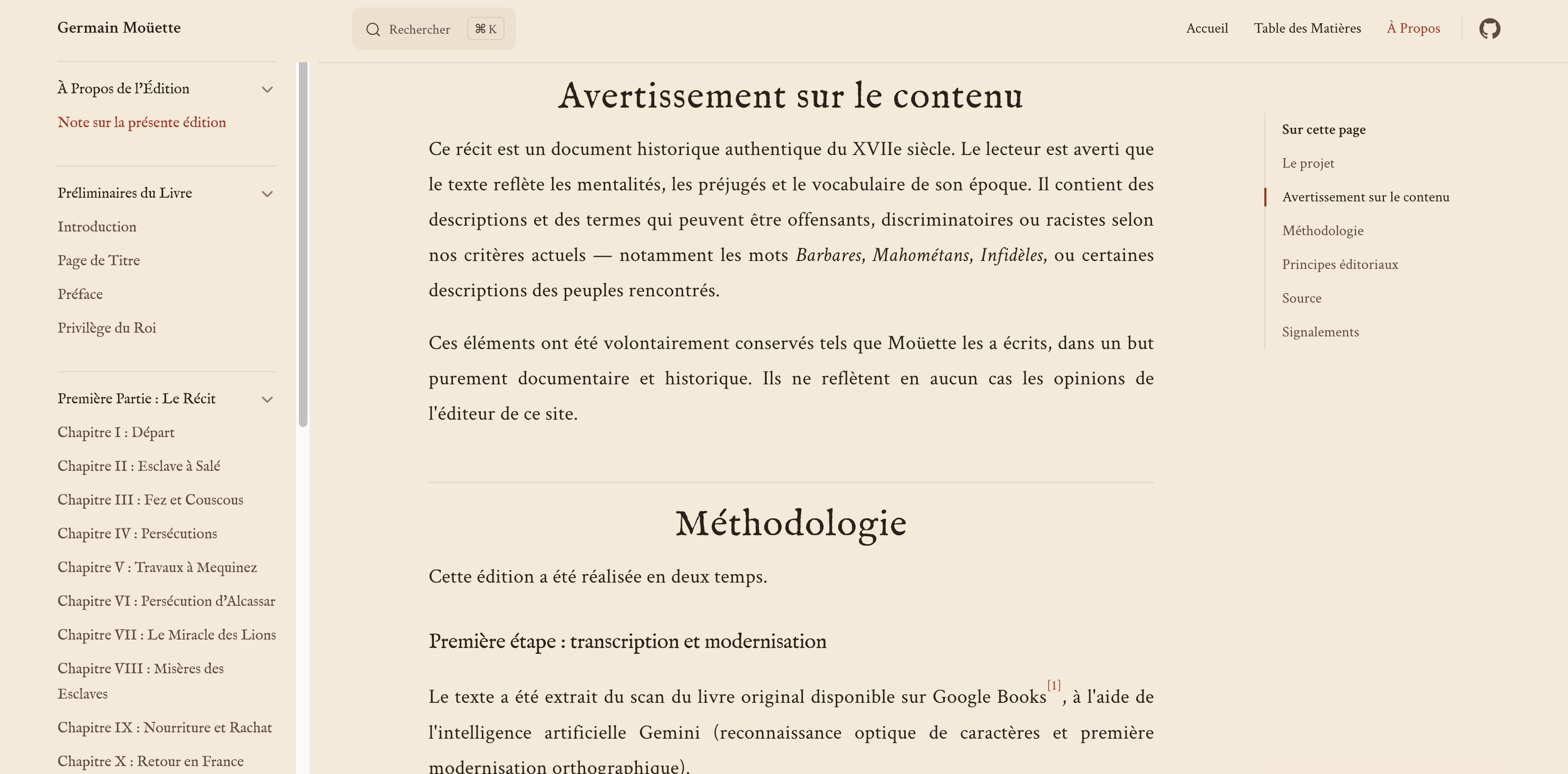
That combination (a content warning and annotations that explain rather than erase) was what finally made me feel ready to ship. A skill can hold values, not just rules. The whole policy lives in a file. It can be inspected. It can be argued with. That’s what I want from a system I put my name on.
What I’d change: use skill-creator
Only one thing. Next time, I’d open Anthropic’s skill-creator skill before writing a single file. It’s a skill that helps you write other skills. You describe what you want, it scaffolds the folder, the SKILL.md, the frontmatter, all following current best practices. I didn’t know it existed when I built my three, so I learned the hard way, through trial and Claude Code’s diagnostic errors. It worked out fine. But if you’re about to build your first skill, skill-creator is the shortcut I wish I’d taken.
Spot skills in every project
After the book was live, I sat down to write a stakeholder update at work and caught myself thinking: ”wait, this is a skill.” Not a lightning bolt. A small, quiet ”oh, this too” about a task I’d been doing the hard way for years.
The book didn’t teach me skills. It taught me to see them. Here’s the practical test I started applying. Three questions, in order:
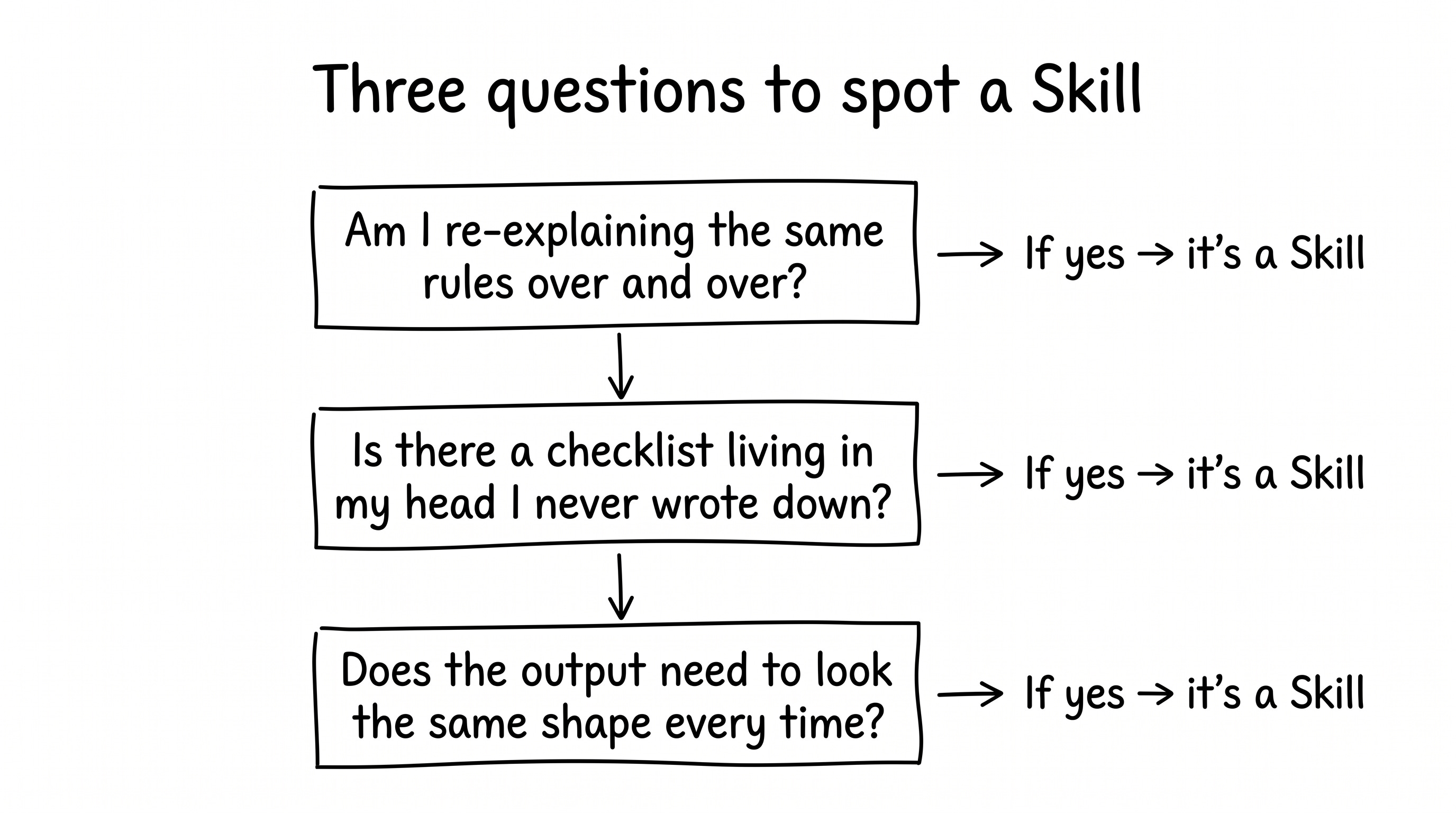
Am I re-explaining the same rules over and over? If you’ve typed the same block of context into a fresh chat window more than twice, those rules belong in a file, not in your head.
Is there a checklist living in my head that I never wrote down? The quality bar you apply before sending something, the three things you always catch, the format you always enforce. That’s a skill waiting to be written down.
Does the output need to look the same shape every time? Same structure, same tone rules, same format, week after week. That’s the exact shape a skill solves.
Applied to a product week, the list shows up fast. I wrote about one of these in detail already: /customer-pulse.

That skill searches reviews, forums, and app stores for what users are saying, and returns a structured report with ranked themes, real quotes, and a “Top 3 this week” action list. If you want the step-by-step on building a skill from scratch, any Skill, that’s where to start.
The same pattern shows up across the rest of a product week:
Customer feedback synthesis. Multiple sources, grouped by theme, real quotes, source links. The rules you re-apply every time are exactly what a skill holds.
Stakeholder updates. Same structure every week, same length target, same tone rules. Skill-shaped.
User-interview theming. A folder of transcripts, a definition of what a good theme looks like, quote extraction with attribution. Skill-shaped.
Competitor monitoring. A list of URLs, a definition of what change looks like, a weekly diff. Skill-shaped.
Meeting recaps. Your team’s template, your tone rules, action items always in the same format. Skill-shaped.
Once you answer yes to one of those three questions, you’re looking at a skill. The only question is which project you want to start with.
Start with a project you already know
The book took an afternoon to finish. The afternoon started because another task was thinking and I had a spare VS Code window. That’s the whole origin story.
It’s still not finished, if I’m honest. I’d like to generate comic-book panels with Gemini Nano Banana Pro to tell Moüette’s story visually. Maybe a short film, once video models get a bit cheaper. Another weekend, another skill.
Your turn. You don’t need a 17th-century book. You just need one project where you already know what good looks like, and where you’re tired of re-explaining it. Open it. Ask one question: “what rule am I re-pasting into every fresh chat?” Write it down. Put it in a file. That’s the first skill.